IA Collaborative
White pages, black type, one blue. IA speaks in plain first-person statements, marks the one that matters with a blue asterisk, leads with photography of its own studio and work, and asks one question per page in a single blue panel. Everything else is grey, flat and quiet.
- Everything in the system See the 37 components
- Setting it up at IA Read the handoff guide
Overview
The system's own README, as Claude reads it: the idea, the voice, and the rules for colour, type, space, composition and imagery.
About This System
This is IA's design system, version 1.0.0. It was read from iacollaborative.com (7 October 2026) and locked so every deck, page, article and one-pager IA makes with Claude comes out the same way. The values are IA's own wherever the site paints them; where the site says nothing, a rule fills the gap and the section Decisions says so.
- Colour, type, space, radius live in
tokens.json(shown under Tokens). Every value has a usage note. - The brand motifs (the asterisk heading, the we statement, the Let's talk panel, the framework table and nine more) are live cards under Components, with the shadcn components IA's code projects get.
- Logos, the asterisk, the lettering, the blue fields, IA's studio photography, icons and the exports are under Assets.
How to use it
In Claude (Slides, Design, chat). Say "use the IA Collaborative design system", or make it your default design system so every new deck and design starts from it without asking. Claude reads this README and tokens.json, installs the fonts and uses the files under Assets.
In code (Claude Code). Install the ia-collaborative-design-system skill from the delivery folder into the project's .claude/skills/. It carries the tokens as a Tailwind v4 stylesheet (substrate.css), the motifs (recipes.css), the brand files and a gate that refuses off-brand values as they are written: a raw hex, a fixed pixel size, an arbitrary Tailwind value, a serif.
Without Claude. The Exports group holds the style guide PDF, DESIGN.md (the whole system as one text file for any AI tool), the DTCG token files for Figma or Tokens Studio, and a shadcn registry item.
The idea: Insight to Action
IA stands for Insight to Action: never an insight without a plan for action, never an action not grounded in insight. Every surface follows the same order: what we saw, then what to do. The look serves that. It is plain, confident, consultative, disciplined and human. It is never decorative, techy, playful, gradient-heavy or corporate-generic.
Voice
IA writes like a consultant who has done the work: plain, confident, specific, in the first person plural.
- We, not the firm. "We uncover actionable insights about your users." Never "IA Collaborative leverages…".
- Titles are Title Case, with no full stop: pages, articles, services, decks. "The IDEALS Model for Custom AI Implementation." is wrong; "The IDEALS Model for Custom AI Implementation" is right.
- Statements are sentence case and end with a full stop: the marked line, section intros, we lines, card lines, slide headings that make a claim. "Every challenge is an innovation opportunity, if you know where to look."
- Concrete over abstract. "Scrubbing in to observe a surgery in London, shooting hoops with teens in the Bronx, or living with families in Mumbai." Name the place, the person, the number.
- Questions lead sections in thought leadership. "What model, algorithm and context will we engineer?" "How will it learn and improve?"
- Frameworks get a name and an acronym (the IDEALS model: Intelligence, Data, Experience, Autonomy, Learning, Security), then the framework table in that order: each initial IA blue in weight 600, the question beside it with its key phrases in 600. In a framework table IA joins pairs with "+": "What model, algorithm + context will we engineer?"
- Close with an invitation, not a slogan. "Want to create the future of human experience? Let's talk."
- No emoji. No exclamation marks. No hype words ("supercharge", "game-changing", "revolutionary").
- No kicker labels. IA puts no small uppercase eyebrow above a title, a slide heading or a card; the title stands alone.
Lines to take the measure from, all IA's own:
Human-Centered Solutions for Industry Leaders' Most Complex Challenges.
Every challenge is an innovation opportunity, if you know where to look.
Before you can make progress, you have to start making.
Colour: one blue
IA blue is the only hue on a page. Everything else is black, white and grey. There is no second accent, no tinted section and no blue wash.
| Token | Light | Where it goes | Contrast |
|---|---|---|---|
background |
#ffffff | The page ground. Every page, slide and one-pager. | |
foreground |
#000000 | Headings, UI text and body copy. | 21:1 on white, 19:1 on card |
primary |
#176cd9 | IA blue: links, the asterisk, the Let's talk panel, the selected service row, the contact form's pill, focus. | 5.0:1 on white, 4.6:1 on card |
primary-foreground |
#ffffff | Text on IA blue. | 5.0:1 |
card |
#f3f4f6 | The grey panel ground, with a border hairline (the framework table has none; its rows are split by white lines). |
|
border |
#e5e7eb | Card and panel hairlines. Decorative. | |
input |
#d7d7d7 | Form-field hairlines. | 1.4:1, see the note below |
text-secondary |
#525252 | Long-form prose. | 7.8:1 on white, 7.1:1 on card |
palette-gray-500 |
#6a7282 | Meta and descriptions on white cards. | 4.8:1 on white, 4.4:1 on card |
palette-neutral-400 |
#a1a1a1 | The grey "we" of a we statement, large text only. | 2.6:1 |
ink-eyebrow |
#aeaeae | Form-field labels and list numbers (01. to 04.), as IA paints them. | 2.2:1, see the note below |
inverse-surface |
#000000 | The one black surface: the Machine view, the photo scrim. | |
destructive |
#e7000b | Form errors only. | 4.8:1 on white, 4.3:1 on card |
Where blue goes. Every text link (interactive, a chevron after it), the asterisk, the hairline over a we statement, the one Let's talk panel per page (brand-strong), the selected service row, the contact form's pill, the focus ring (ring). A page has a handful of blue moments, not a blue theme.
Where blue never goes. Headings or display text (one exception: the framework table's element names, as IA's own table sets them); behind a section; the nav; borders or dividers (except the we hairline); over a photo; icons other than the chevron after a blue link; the logo.
On the blue panel everything is white (brand-contrast): no asterisk, no blue link, no black logo, no second blue. A mark on blue or black is ia-logo-white or ia-monogram-white.
Grey carries hierarchy, not decoration. "We" in palette-neutral-400, prose in text-secondary, meta in palette-gray-500, labels in ink-eyebrow. No grey text lighter than palette-neutral-400 on white.
Black is the second surface: the closing button (near-black #171717), the Machine view, the photo scrim, the chat pill, the monogram circle. Black carries white type and nothing else.
Charts: chart-1 IA blue (the series that matters), chart-2 black (the comparison), chart-3 grey (context), chart-4 deep IA blue; chart-5 mid grey only as a fifth series. Axes and grid lines in muted-foreground and border. No rainbow.
Dark is not IA's look. Light is IA, and the Machine view is a black page drawn in the light theme on inverse-surface, never under dark (dark turns inverse-surface near-white). The dark theme exists for one job: an embedded widget or tool that follows the viewer's setting. Never flip a page or deck to dark for mood. Dark values were derived by rule and set by hand where the rule broke (see Decisions).
Contrast notes, IA's own values kept. Three of IA's colours sit under the 4.5:1 floor where IA uses them, and they are kept exact because they are IA's:
ink-eyebrow(#aeaeae) reads 2.2:1 on white. IA uses it for form labels and list numbers. The proposed fix, for IA to decide, ispalette-gray-500(#6a7282, 4.8:1).palette-gray-500reads 4.4:1 on the greycard. Use it on white cards; on a grey panel usetext-secondary.input(#d7d7d7) reads 1.4:1 on white, under the 3:1 a control edge needs. Always pair a field with a visible label; focus turns the edgeringblue.interactiveoninteractive-mutedreads 4.5:1 exactly at the floor, anddestructiveoncard4.3:1. Keep error text on white.
Type: one family
IA sets everything in Benton Sans, one family, sentence case. Benton Sans is licensed to IA and is never shipped here. Libre Franklin is the free stand-in (an 86% letter-shape match) and is included as font files. Every family stack names Benton Sans first, so machines with IA's licence installed render the real face:
"Benton Sans", BentonSans, "Libre Franklin", system-ui, sans-serif
Heading tracking is loosened by 0.015em against the site so Libre Franklin sets at Benton Sans's width.
IA's bold is 600. It is the value IA's own stylesheet asks for on titles. IA loads Benton Sans at 300, 400, 500 and 700 only, so where Benton Sans is installed 600 renders as Benton Bold; in Libre Franklin it renders a SemiBold with the same colour on the page. Libre Franklin 700 and heavier reads as a black poster face beside IA's: never set type heavier than 600.
| Style | Size / leading | Weight | Tracking | Use |
|---|---|---|---|---|
display |
60 / 1.0 | 600 | -0.015em | Hero titles, white over photography only. |
h1 |
48 / 1.15 | 600 | -0.01em | Page and article titles on white. |
h2 |
36 / 1.11 | 500 | -0.02em | Statements, section heads and panel titles; the asterisk-marked line. |
h3 |
30 / 1.25 | 600 | -0.015em | Sub-sections and question sub-heads. |
lead |
20 / 1.625 | 400 | Long-form prose, in text-secondary. |
|
body |
16 / 1.5 | 400 | UI text and short copy. | |
small |
14 / 1.43 | 400 | Meta, captions, the footer. | |
caption |
12.22 / 1.45 | 400 | 0.016em | Fine print. |
micro |
12 / 1.33 | 500 | 0.05em | Form-field labels and list numbers, uppercase, in ink-eyebrow. A framework table's label uses it bold and black. Never an eyebrow above a title. |
Two gaps on IA's site have no token: the 24px bold card title (use lead at the h3 weight) and the light 300 closer of the Let's talk panel (set at h2 size, weight 300, the one place 300 appears).
Large statements are medium (500); IA's biggest display lines are never heavier than its titles.
Weights in Claude Slides and Design. Benton Sans never loads there, so the page is always Libre Franklin, whose 500 carries about 11% less ink than Benton Medium and reads as Regular. Set IA's medium roles (statements, section heads, slide headings, the blue panel's question, card headlines) at 580, its bold roles at 600, body at 400 and the light closer at 300. Slides takes whole hundreds only: there, medium roles are 500 at sizes under 60px and 600 from 60px up (large type needs the extra weight to read as IA's Medium), bold roles 600, and size carries the difference. Slides' inline bold (<b>) renders 700: use it only for a framework table's initials and key phrases, nowhere else. In code keep the tokens (500 and 600), so machines with Benton Sans render it exactly.
JetBrains Mono appears in one place: IA's Machine view, the black page for agents, at 14/28 in grey. Nowhere else.
Space and shape
Spacing derives from the type. The numbers that build a page:
| Token | Value | Use |
|---|---|---|
space-section |
100px | Plain air between sections. No coloured bands, no alternating stripes. |
space-region |
48px | Padding inside panels. |
space-stack-lg |
40px | Heading row to content. |
space-stack-sm |
24px | Between items; grid gaps. |
space-inset-lg |
24px | Padding inside cards. |
Pages sit in one container, 1400px wide with 32px gutters, and everything on a page shares its left edge: nav, hero, titles, text and the closing pair.
Radius. Every container is radius-containers (14px): cards, panels, photos, the hero, the nav. Inputs are radius-lg (10px), controls and tabs radius-controls (8px). radius-chip (a full pill) is kept for the contact form's submit, the chat input and circle icon buttons.
Controls are control-md, 48px tall; circle buttons control-sm, 32px.
Depth. Panels, nav, buttons and type sit flat on a hairline. The only shadows: shadow-lg on photo cards, shadow-sm on the chat pill and the mode tabs. Depth on photography is the black scrim, never a shadow or a blue overlay.
Composition
A section opens with a heading row: the marked statement on the left (a typed bold * in IA blue, then the h2 line in medium), at most one blue chevron link on the right ("See More Results"), then the content space-stack-lg below. One asterisk per view.
Grids run three across at space-stack-sm. Split panels are 3fr 2fr.
A list of links ("We Deliver") is a stack of blue chevron links at lead size, medium weight, one per line; never plain black text.
Below 1024px the closing pair stacks: the chat panel, then the blue panel at full width, its 5:4 proportion capped at 480px tall.
Home and section pages close with the same pair: the conversational panel (left, wider, on the soft blue field) and the one blue Let's talk panel (right) in IA's 5:4 proportion, its question at the top and "Let's talk." (light) with the arrow anchored at the foot. Under it the footer: a hairline, the company line left, underlined links right. An article closes with the near-black Let's talk button and the footer only. One closing action per page, never two.
Heroes are real photography or film at full width. The home hero carries the Insight to Action lettering in white. Inner-page heroes centre the title at display, white, on the photograph under the black scrim ("About Us").
Case studies and insights are portrait photo tiles: a black scrim rising from the bottom and a bold white title bottom-left, no eyebrow. A row scrolls sideways with two circle chevron buttons beneath it.
The manifesto is a three-column grid of we statements: a blue hairline on top, "we" in grey, the claim bold in black at the same size, then a paragraph.
Services are a numbered list as on IA's services page: rows at 16px medium, the number (01. to 04.) small in grey, a thin grey chevron at the end, 14px corners, no hairlines; the selected row is a solid IA-blue block with white text and the selected service's detail sits beside the list. Numbers are plain figures with a full stop, never badges.
The closing action of a page or article is the near-black button (the Closing action motif): #171717, white 16px regular label, 48px tall, 10px corners, one per view. The blue pill is only the contact form's submit. Secondary actions are blue chevron links, never an outlined or grey button.
Frameworks (IDEALS and the like) are the framework table: a small bold black uppercase label on a grey panel, then one row per element with its name in IA blue, the initial bold, and its question beside it with the key phrases bold.
The nav is a compact floating white pill centred near the top, about 330px wide: a hairline, the logo left at 24px or taller, one menu button (two lines: Lucide equal) right that opens the menu as a panel. It floats over the top edge of the hero. No row of text links. The Classic, Agentic and Machine tabs are IA's own website's; other pages and documents carry none.
Surfaces
Articles and thought leadership. As IA's articles run: a full-width diagram or photograph at radius-containers first, then the h1 Title Case title, then the text across the whole container on the same left edge (no narrow column, no empty right band). A full-width border hairline splits each section, with 48px above and below it; a section opens with its topic word at h3 ("Intelligence"), 12px under it the question it asks at lead size in weight 600, then 24px to the prose at lead in text-secondary. One marked statement, 48px clear of the text above and below. The near-black "Let's talk" button ends the article; no closing pair after it. A framework sits in the framework table.
Diagrams. When the piece has a model, lead with it rather than a photograph: flat, IA blue for the subject, black type, greys and white for structure, on white or the grey card at 14px corners. The framework table is the default diagram. No 3D, no gradients, no second hue.
One-pagers and print (US letter, 816 × 1056 px at 96 dpi). One layout, set the way a senior IA designer would; the One-pager card under Components shows it. Follow it exactly, zone by zone:
| Zone | Specification |
|---|---|
| Hero band | Full bleed across the top, 408px tall: one of IA's photographs (object-fit: cover), chosen for the subject, (ia-studio-model-shop or ia-studio-team-at-work, never a bright one) under the black scrim: linear-gradient(to top, rgba(0,0,0,0.78) 0%, rgba(0,0,0,0.6) 42%, rgba(0,0,0,0.2) 70%, rgba(0,0,0,0.32) 100%), so the white title holds 4.5:1, the photograph at object-position: 50% 40%. ia-logo-white 24px tall, 56px from the left and 40px from the top. At the foot of the band, 56px in and 36px up: the Title Case title at 44px / 1.06, weight 600, -0.01em, white, at most 600px wide; 20px under it a 1px white rule (70%) across the band between the 56px margins; 12px under the rule one line (the dek: what the reader gets, in one sentence) at 14px / 1.43, white at 92%. |
| Body margins | 56px left and right. The body starts 32px under the band and ends 48px above the bottom edge. |
| Intro row | Two equal columns, 32px apart. Left: the marked statement, the piece's own key line (a typed bold * in IA blue, 4px, then the line at 26px / 1.15, weight 580, -0.02em, black), at most three lines. Right: the lead at 14px / 1.55 in #525252, three to five lines, starting 2px lower so its first line sits on the statement's. |
| Content grid | 32px under the intro: three columns, 32px apart, in rows. Each cell has a 1px #e5e7eb hairline on top, 16px of space above its text and 24px below. In a cell: the name at 24px / 1.1, regular, -0.01em, IA blue, with its initial in weight 600; 10px under it the question at 14px / 1.36, weight 600, black, at most two lines (about 50 characters); 6px under that one sentence at 13px / 1.5 in #525252, at most three lines (about 90 characters). Framework questions join pairs with "+". Six parts make a 3 × 2 grid; three or four parts keep the three-column grid. |
| Foot | Pinned to the bottom margin: a 1px #e5e7eb hairline across the body, then 16px under it ia-logo (black) 24px tall on the left and the action line on the right at 12px: "Let's talk." in IA blue, weight 500, then iacollaborative.com/contact in black. |
| Never | No grey panel behind the content, no button, no lettering masthead, no second photograph, no one-word last lines (set text-wrap: pretty on paragraphs, balance on questions), nothing set heavier than 600. |
| Fonts on a canvas | Install the system's fonts/LibreFranklin-Variable.woff2, then one @font-face for "Libre Franklin" at ds/<folder>/fonts/LibreFranklin-Variable.woff2 (relative to the artboard; or the file uploaded, at its /_blob/ URL), font-weight: 100 900, font-display: block so a PDF never catches the fallback. |
| Type details | Curly apostrophes and quotes (’ “ ”). The contact address may be a live link, set in black. |
Decks (1920 × 1080). White slides, bold Title Case titles, one marked statement slide, IA's studio photography at a 14px radius, a blue Let's talk closing slide, ia-logo on the cover and the close, ia-monogram small in the footer of content slides. One blue element per slide (a framework table counts as one); a dark slide only to quote the Machine view.
In Claude Slides, set every slide in Libre Franklin ('Libre Franklin', Arial, sans-serif). Slides loads only the fonts it installs, so Benton Sans cannot be named there.
The sizes come from the locked deck scale, rounded to whole pixels, with IA's own weights and tracking (the web steps' em values times the size; tighter looks cramped in Libre Franklin):
| Slide style | Size / leading | Weight | Tracking |
|---|---|---|---|
| Statement (display) | 160px / 1.05 | 580 | -2.4px |
| Title (h1): cover and close | 111px / 1.05 | 600 (the close's question: 580) | -1.1px |
| Slide heading (h2) | 74px / 1.08 | 580 | -1.5px |
| Sub-head (h3) | 50px / 1.15 | 600 | -0.8px |
| Body | 36px / 1.35 | 400 | 0 |
| Caption, footer | 24px / 1.4 | 400 | 0 |
| Framework label | 24px, uppercase, black | 600 | 1.2px |
| Space and shape on a slide | Value |
|---|---|
| Margins | 128px (the Slides frame) |
| Title to content | 48px |
| Between items in a row or list | 32px |
| Card padding | 48px |
| Card and photo corners | 14px |
| Hairlines | 2px, #e5e7eb (IA blue only over a we statement) |
| Footer row | 24px type, 64px from the bottom: ia-monogram at 32px left, the page number right as a plain figure in #525252 |
| List numbers | 24px, #525252, "01." with a full stop |
| Framework table | names 50px regular IA blue with the initial in weight 600; questions 36px black, key phrases bold; rows split by 2px white lines on the #f3f4f6 panel; label 24px bold black uppercase; columns 1fr 2fr |
Slide colours are the same hexes: white #ffffff ground, black #000000 type, IA blue #176cd9, grey card #f3f4f6 with a #e5e7eb hairline, prose #525252. Slide headings stand alone: no eyebrow above them. Any secondary grey on a slide is #525252, never a cool slate.
The slides IA's decks are made of:
- Cover: IA's home-hero grammar.
ia-studio-team-at-work(or the model shop) full bleed under a black scrim strong enough that the white title holds 4.5:1 over the brightest part behind it (typically 70% at the foot, 35% at mid height, clear by two thirds, 30% at the very top under the logo);ia-logo-whitetop-left at 48px; the Title Case title at 111px, weight 600, white, bottom-left in the 128px margin; a 2px white hairline under it and one 36px line in white. Pick the photograph for the subject. - Statement: a 160px medium statement led by a typed bold
*in IA blue at the same size, 8px before the first word (the glyph rides high, as on IA's site), then one paragraph at 36px in #525252, 1400px wide, everything from the top margin. Once per deck. - Content: a 74px heading, then the content: the framework table (initials bold IA blue, questions with bold key phrases), a numbered list (items at 50px weight 600, text 36px), two or three grey cards with a clear step between card title (50px, 600) and text (36px), or a photo at 14px corners beside the text. Never heavier than 600. Fill the slide; no dead band below the content.
- Close: full-bleed IA blue (the only solid blue slide); the question at 111px, weight 500, white; "Let's talk." at 111px, weight 300, white, with a 96px white circle holding a 48px black chevron;
ia-logo-white48px tall, bottom-right, on the "Let's talk." line. The question is the piece's own invitation (IA's site: "Want to create the future of human experience?"). No asterisk on blue.
The Machine view is the one black page (its closing button turns white with black text there): inverse-surface ground, JetBrains Mono lines at small padded to double leading in palette-neutral-400, markdown-like prefixes dimmer in palette-neutral-600. It is IA's page for agents.
Product UI. Menus, dialogs, selects, tabs, popovers, tooltips and toggles come from the shadcn components (cards under Components), dressed by the tokens: radius-controls on controls and tabs, radius-lg on inputs with an input hairline, overlays on surface at radius-containers with shadow-sm, a 1px ring focus with no offset. The ring is IA blue, so on a blue fill (the pill, the selected service row, the blue panel) it sits space-hairline off the edge, leaving a white gap that shows.
Logo
ia-logo(black) on white and IA's light greys;ia-logo-whiteon IA blue, black and photography. The IA letters are cut out of the circle, so the ground shows through them.ia-monogramalone where the lockup does not fit or the name is already said: avatars, slide footers, favicons. Smallest 16px; the lockup 24px tall or more on screen.- Clear space: the monogram's height on every side. Never recolour, stretch, outline or retype it. Never set "IA Collaborative" in another face beside the mark.
The asterisk
IA's asterisk comes in two forms. On a statement it is a typed bold * in IA blue at the statement's own size, set 4px before the first word; the glyph rides high on the line, small against the text, exactly as IA's site sets it. Large, the drawn six-spoke file ia-asterisk is the one corner mark of a grey panel (60–80px, top-right). One per page or slide, counting both forms: a page with the grey panel's corner mark has no marked statement. On white or the grey card only. Never a bullet, a pattern or a background; never on the blue panel, a photo or black.
Imagery
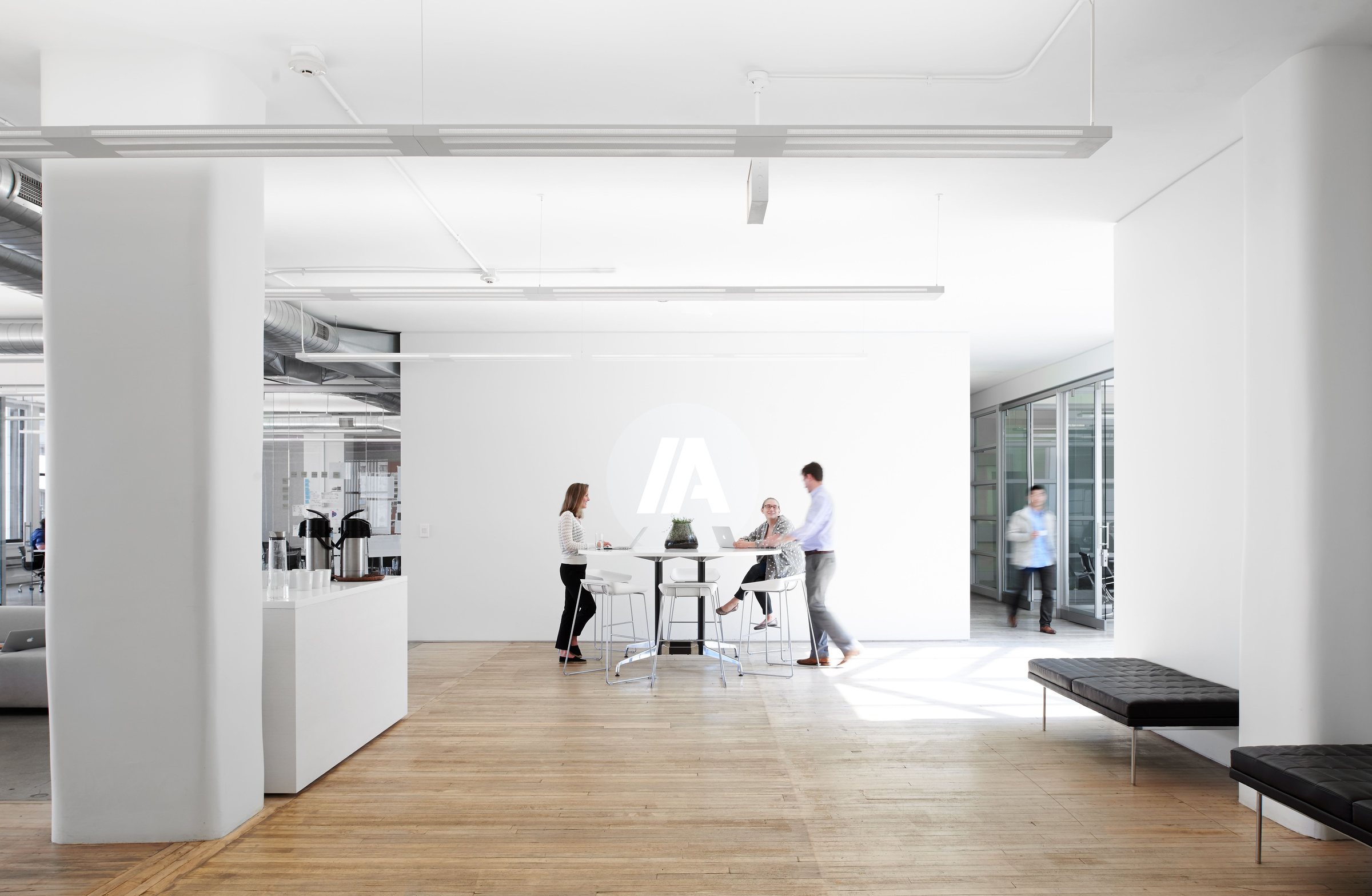
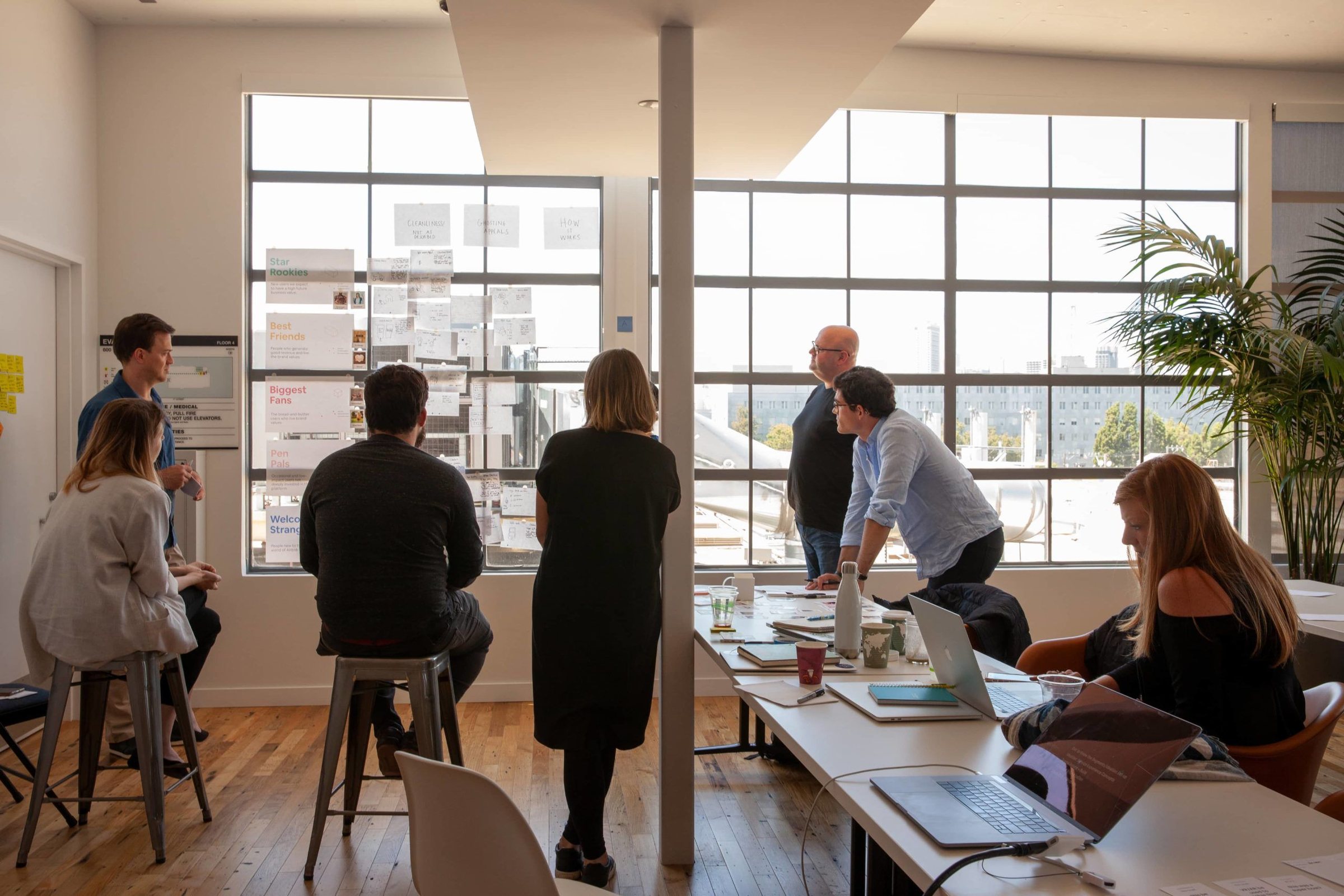
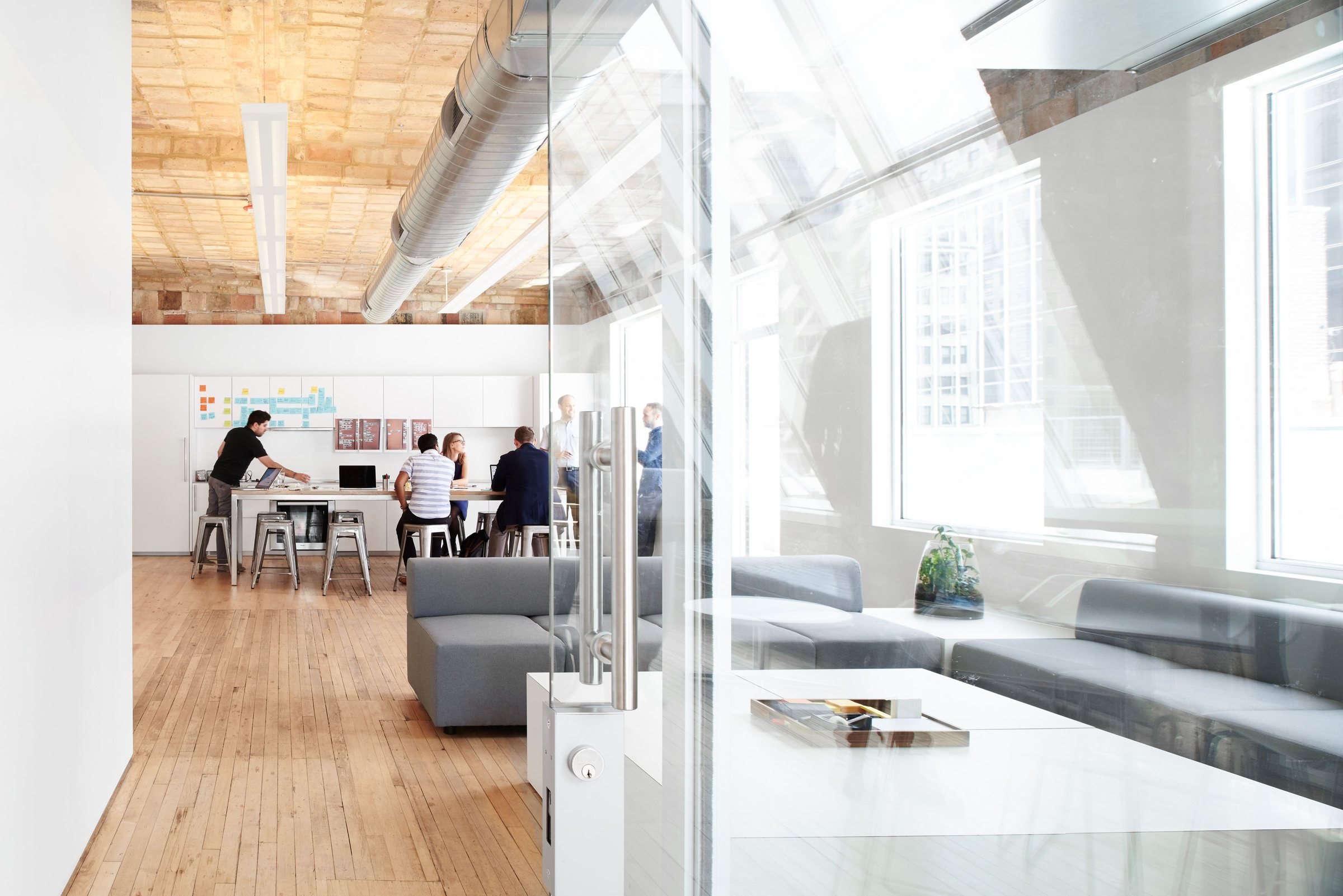
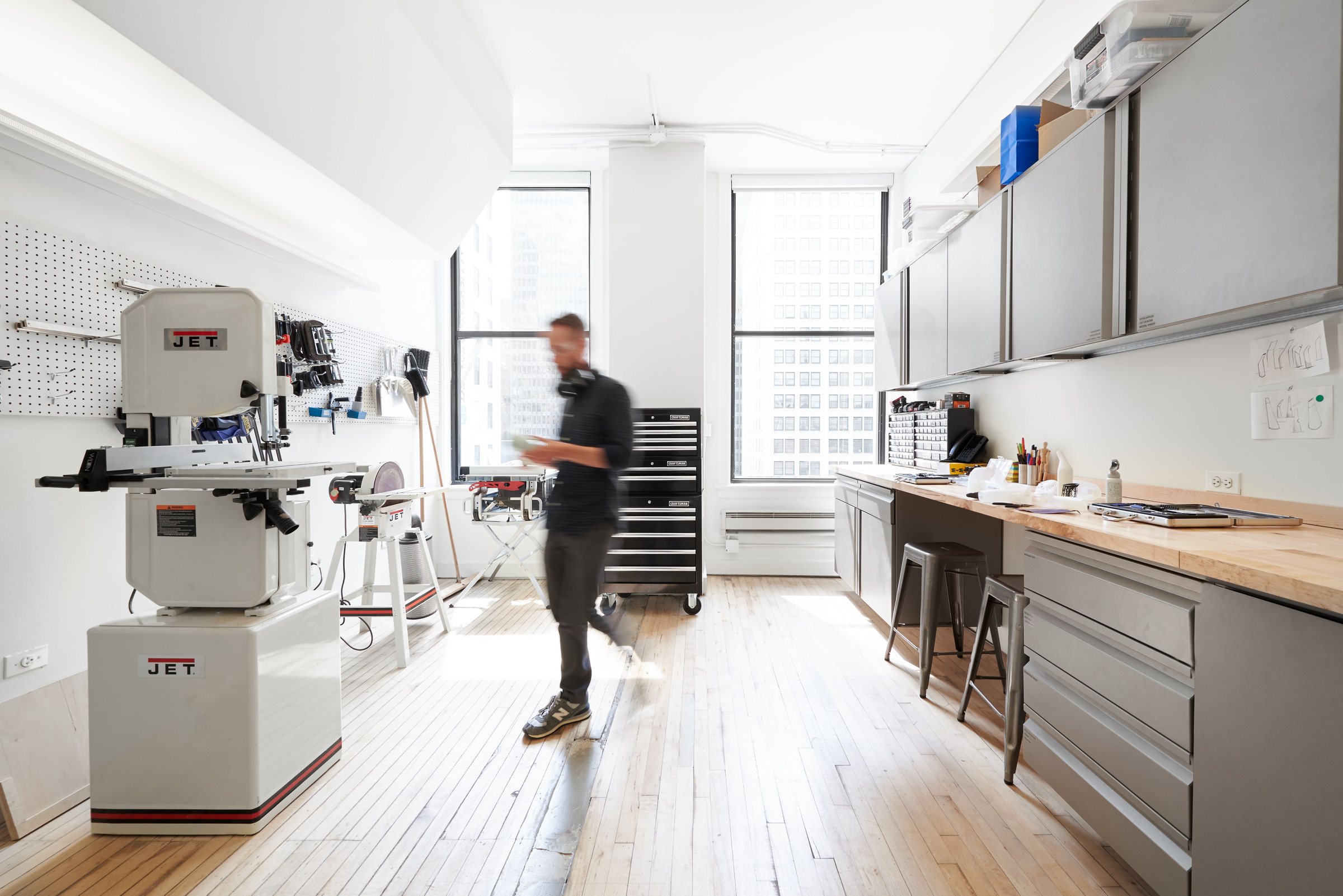
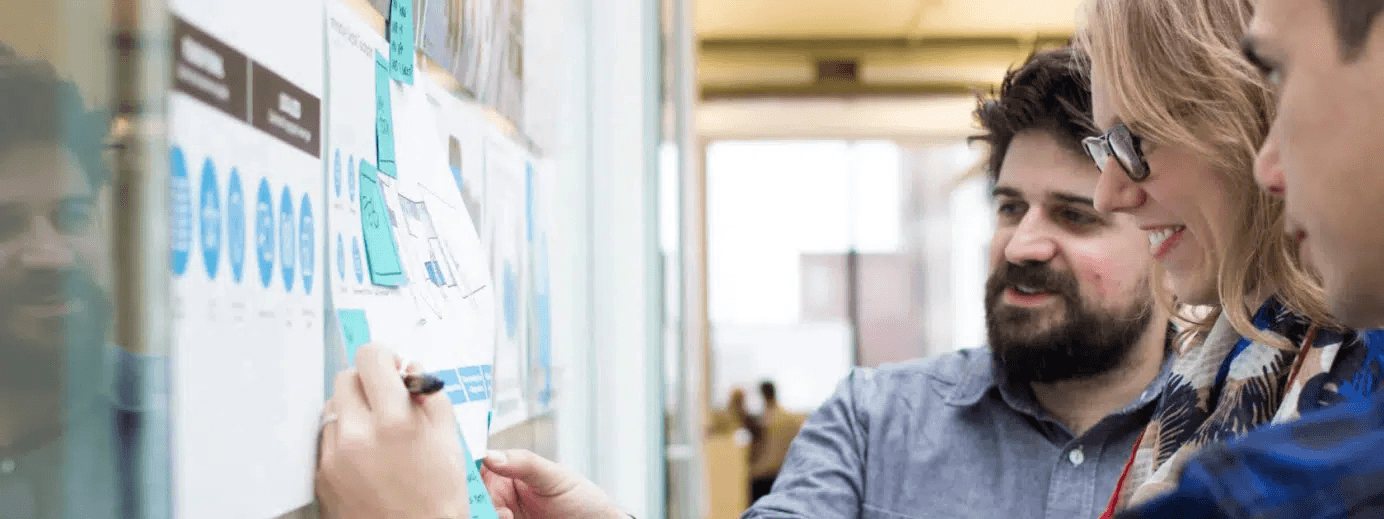
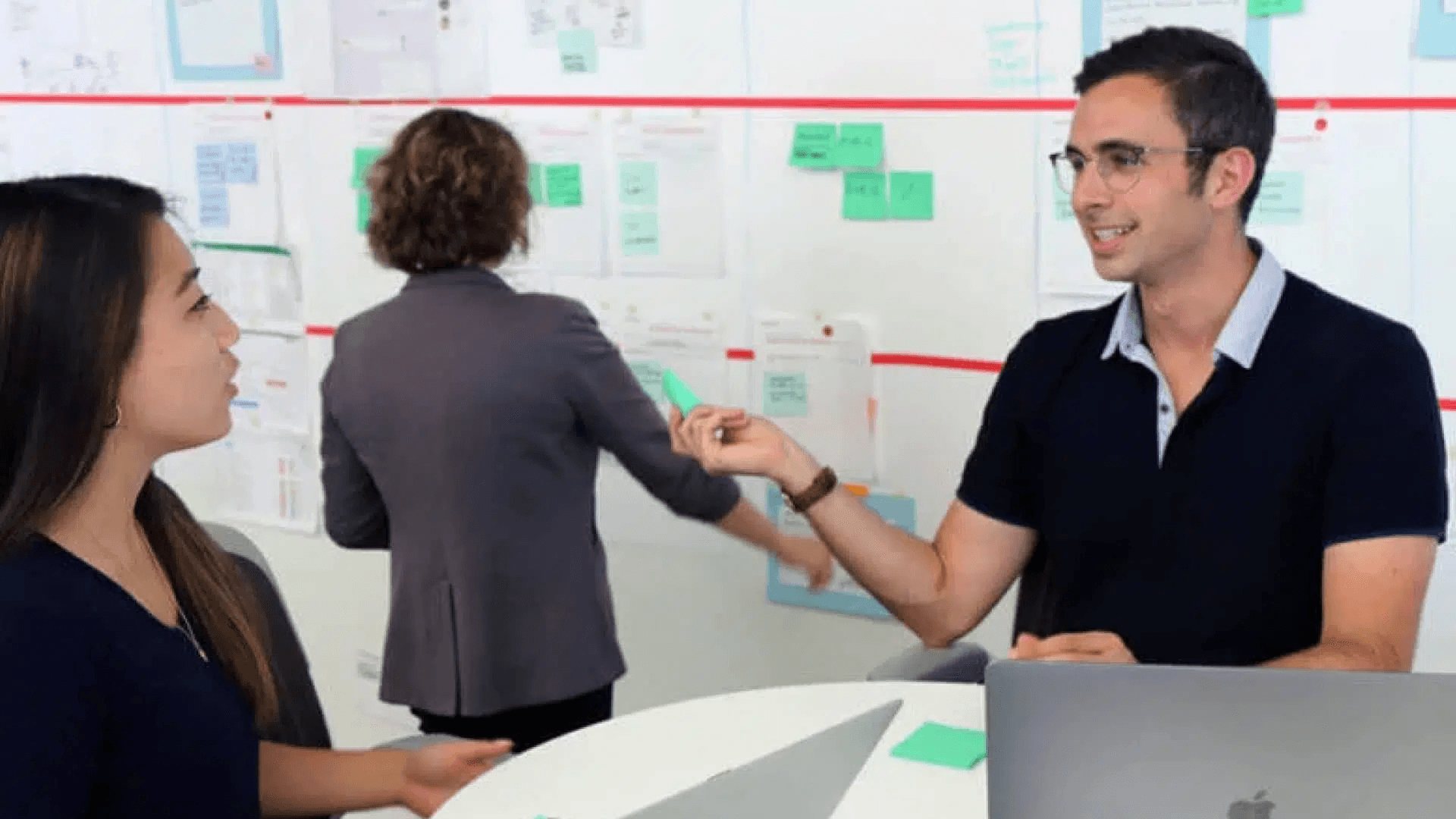
- Photography leads: IA is photo-led, and an all-type piece reads as a template. The Photography group holds seven of IA's own photographs: four of the studio (2400px, from IA's originals) and three of the team at work. Natural light, never filtered or tinted, always in a
radius-containersframe. White type over a photo sits on a black scrim. Choose by subject and give each kind of piece its own. Type over a photograph only on the darker rooms:ia-studio-team-at-workandia-studio-model-shop. The open studio and the glass room are bright and full of glare: use them framed, with no type on them. Deck covers lead with the team at work, one-pagers with the model shop, web heroes with the team at work or a framed open studio, the capabilities page with the team at work. The threeia-workphotographs are web copies: use them at half a slide or a page tile at most, never full bleed or as a hero. Scrims are a clean black, never a grey haze: at least 60% under every line of white type, clearing above it. - The blue fields (
ia-blue-field-1,ia-blue-field-2) are IA's only gradients: a soft blur of IA blue into white, as the ground of one quiet panel or a deck's section divider (not the cover: covers lead with a photograph), the blue mass low and off an edge. Text sits on the white side. Never painted in CSS, never tiled, never cropped to the blue. - Not IA: illustration, 3D renders, abstract tech art, stock photography. Client work is shown as client work, with the client's permission, never as IA's identity. This system holds no client logos and no case-study images.
Iconography
IA uses Lucide (lucide.dev, ISC licence) at a 2px stroke, and few of them: a chevron after every text link, arrows in round buttons, the odd plus or pause. In code, import from lucide-react. The Icons group holds the six glyphs IA's site uses, ink baked in (black, plus the IA-blue chevron for links). No icon grids, no decorative icons, no emoji.
Never
- No serif type anywhere. IA is one sans family.
- No left-border accent cards, quotes or callouts. IA's only coloured rule runs on top of a we statement.
- No radial or conic gradients, glows or blurred blobs painted in CSS. The soft blue is two image files.
- No frosted glass. The nav, the mode tabs and the chat pill are solid with a hairline.
- No second accent colour, no blue headings, no blue section bands.
- No outlined or grey secondary buttons: secondary actions are blue chevron links.
- No blue pill except the contact form's submit; no solid blue except the Let's talk panel, the selected service row and the closing slide.
- No eyebrow labels above titles, slide headings or cards.
- No type heavier than 600 in Libre Franklin.
- No button on paper: a printed action is a line with the address.
- No narrow centred blog column: one container, one left edge.
- No illustration, stock photography or tinted photos.
Files in this system
Fonts, as files on this page: fonts/LibreFranklin-Variable.woff2 (weights 100–900), fonts/LibreFranklin-Italic-Variable.woff2 (100–900, italic), fonts/JetBrainsMono-Variable.woff2 (100–800). tokens.json lists them under type.fonts. Benton Sans is IA's licensed face and is not here.
Brand files and downloads, uploaded to this page. Use a file by its URL exactly as written:
| Group | File | URL |
|---|---|---|
| Logos | ia-logo.svg |
files/logos/ia-logo.svg |
| Logos | ia-logo-white.svg |
files/logos/ia-logo-white.svg |
| Logos | ia-monogram.svg |
files/logos/ia-monogram.svg |
| Logos | ia-monogram-white.svg |
files/logos/ia-monogram-white.svg |
| Brand elements | ia-asterisk.svg |
files/brand-elements/ia-asterisk.svg |
| Brand elements | ia-insight-to-action.svg |
files/brand-elements/ia-insight-to-action.svg |
| Brand elements | ia-insight-to-action-black.svg |
files/brand-elements/ia-insight-to-action-black.svg |
| Brand elements | ia-blue-field-1.png |
files/brand-elements/ia-blue-field-1.png |
| Brand elements | ia-blue-field-2.jpg |
files/brand-elements/ia-blue-field-2.jpg |
| Photography | ia-studio-open-plan.jpg |
files/photography/ia-studio-open-plan.jpg |
| Photography | ia-studio-team-at-work.jpg |
files/photography/ia-studio-team-at-work.jpg |
| Photography | ia-studio-glass-room.jpg |
files/photography/ia-studio-glass-room.jpg |
| Photography | ia-studio-model-shop.jpg |
files/photography/ia-studio-model-shop.jpg |
| Photography | ia-work-synthesis-wall.jpg |
files/photography/ia-work-synthesis-wall.jpg |
| Photography | ia-work-side-by-side.jpg |
files/photography/ia-work-side-by-side.jpg |
| Photography | ia-work-research-review.jpg |
files/photography/ia-work-research-review.jpg |
| Icons | chevron-right-blue.svg |
files/icons/chevron-right-blue.svg |
| Icons | chevron-right.svg |
files/icons/chevron-right.svg |
| Icons | chevron-left.svg |
files/icons/chevron-left.svg |
| Icons | arrow-up.svg |
files/icons/arrow-up.svg |
| Icons | plus.svg |
files/icons/plus.svg |
| Icons | pause.svg |
files/icons/pause.svg |
| Exports | ia-collaborative-style-guide-1.0.0.pdf |
files/exports/ia-collaborative-style-guide-1.0.0.pdf |
| Exports | DESIGN.md |
files/exports/DESIGN.md |
| Exports | light.tokens.json |
files/exports/light.tokens.json |
| Exports | dark.tokens.json |
files/exports/dark.tokens.json |
| Exports | base.tokens.json |
files/exports/base.tokens.json |
| Exports | ia-collaborative-design-system.resolver.json |
files/exports/ia-collaborative-design-system.resolver.json |
| Exports | shadcn-ia-collaborative-design-system.json |
files/exports/shadcn-ia-collaborative-design-system.json |
Components: components/bundle.js assigns window.IACollaborative (the namespace; folder name when installed: iacollaborative), on React 18; components/bundle.css styles it; components/index.d.ts lists the props.
Outside this page (a deck, a canvas, a document), copy each brand file you use into that piece (an asset copy from this page by the id in its URL; the piece then has its own URL for it) and use the piece's URL, and draw a motif from the values in its card's README: the motif classes in bundle.css point at this page's own file addresses.
Names in code
The installed skill uses short CSS variable names. They carry the same values as the tokens here.
| Here | In code |
|---|---|
primary, card, text-secondary, … |
--primary, --card, --text-secondary, … (Tailwind: bg-primary, text-text-secondary) |
space-section, space-stack-lg, … |
--sp-section, --sp-stack-lg, … (py-section, gap-stack-lg) |
radius-containers, radius-controls, … |
--r-containers, --r-controls, … (rounded-containers) |
control-md, control-sm |
--ctl-md, --ctl-sm |
shadow-lg, shadow-sm |
--sh-lg, --sh-sm |
h2, lead, micro, … |
--text-h2, --text-lead, --text-micro, … (text-h2) |
| Benton Sans stack, JetBrains Mono | --font-sans, --font-mono |
Version
IA Collaborative 1.0.0, locked 8 October 2026 (UTC) by Substrate. The fingerprints that tie the code skill, the exports and this page to that one lock are listed under Lock and versions. A change to IA's system is a new version: re-lock, and everything built from the tokens takes the change.
Colour
The 88 colour tokens, each with its light value, its dark value and where it goes. IA blue is the one hue.
Palette 13
| Token | Light | Dark | Where it goes |
|---|---|---|---|
| palette-neutral-900 | #171717 | #171717 | The near-black of IA's article button. |
| palette-zinc-800 | #27272a | #27272a | IA's zinc-800, painted on the site's chat input. In the system the chat pill uses the prompt-bar role. |
| palette-neutral-600 | #525252 | #525252 | IA's About-page prose grey; the text-secondary role. |
| palette-gray-100 | #f3f4f6 | #f3f4f6 | The grey panel ground; the card role. |
| palette-gray-200 | #e5e7eb | #e5e7eb | Card hairlines; the border role. |
| palette-neutral-400 | #a1a1a1 | #a1a1a1 | The grey "we" before a we statement (#a1a1a1, large text only: 2.6:1). |
| palette-primary | #176cd9 | #176cd9 | IA's own theme token --color-primary (#176cd9). Use the primary role; this is its source. |
| palette-gray-500 | #6a7282 | #6a7282 | Meta and descriptions on cards (#6a7282): 4.8:1 on white, 4.4:1 on card. |
| palette-neutral-700 | #404040 | #404040 | IA's article prose grey (#404040). |
| palette-black | #000000 | #000000 | Black: ink and the inverse surface. |
| palette-white | #ffffff | #ffffff | White: the ground. |
| palette-light-gray | #d7d7d7 | #d7d7d7 | IA's own --color-light-gray: form fields and the nav edge; the input role. |
| palette-dark-gray | #aeaeae | #aeaeae | IA's own --color-dark-gray: form labels; the ink-eyebrow role (2.2:1 on white). |
Brand and Action 12
| Token | Light | Dark | Where it goes |
|---|---|---|---|
| primary | #176cd9palette-primary | #2169cc | IA blue (#176cd9), IA's one colour: the pill action, every text link, the asterisk, the blue Let's talk panel, focus. White text on it reads 5:1. |
| primary-foreground | #ffffffpalette-white | #ffffff | White on primary (5:1). |
| brand-muted | #ebf2fe | #031e44 | The brand muted role. |
| brand-base | #176cd9palette-primary | #2169cc | IA blue as a brand role: the hairline over a we statement, the selected service row. |
| brand-strong | #176cd9palette-primary | #2169cc | The single blue panel per page (Let's talk). White text on it. |
| brand-emphasis | #144e9c | #144e9c | The brand emphasis role. |
| brand-contrast | #ffffffpalette-white | #ffffff | White on brand-strong. |
| interactive | #176cd9palette-primary | #78adf9 | Links: IA blue on white (5:1) with a chevron after; hover goes foreground black. On interactive-muted it reads 4.46:1, just under 4.5 (IA's own blue: kept exact). |
| interactive-foreground | #ffffff | #0a0a0a | Text and icons on interactive. |
| interactive-muted | #ebf2fe | #031e44 | The interactive muted role. |
| ring | #176cd9palette-primary | #78adf9 | Focus: a 1px IA-blue ring with no offset (the contact form's focus colour). |
| primary-hover | #1977ef | #2474e0 | The pill's hover: IA's brightness-110 on primary. |
Surfaces 19
| Token | Light | Dark | Where it goes |
|---|---|---|---|
| background | #ffffffpalette-white | #0a0a0a | The page ground: white. Every page, slide and one-pager sits on it. |
| foreground | #000000palette-black | #f9f9f9 | Ink: black. Headings, UI text and body copy on background and card (21:1). |
| canvas | #f9f9f9 | #0a0a0a | The canvas role. |
| surface | #ffffff | #1f1f1f | The surface role. |
| surface-raised | #ffffff | #373737 | The surface raised role. |
| surface-overlay | #ffffff | #373737 | The surface overlay role. |
| surface-sunken | #f2f2f2 | #0a0a0a | The surface sunken role. |
| card | #f3f4f6palette-gray-100 | #1f1f1f | IA's grey panel ground (#f3f4f6): the 'IA means Insight to Action' panel, cards, the grey strip. Always with a border hairline. |
| card-foreground | #000000palette-black | #f9f9f9 | Text on card: black (19:1). |
| popover | #ffffff | #1f1f1f | Menus, popovers and dialogs. |
| popover-foreground | #1f1f1f | #f9f9f9 | Text on popover. |
| secondary | #ffffffpalette-white | #373737 | Secondary actions. |
| secondary-foreground | #000000palette-black | #f9f9f9 | Text on secondary. |
| muted | #f2f2f2 | #373737 | Quiet fills: inputs at rest, table stripes. |
| muted-foreground | #515151 | #ababab | Helper and placeholder text (by rule from the neutral ramp): 7.9:1 on background. |
| accent | #f2f2f2 | #373737 | Hover and selected fills. |
| accent-foreground | #1f1f1f | #f9f9f9 | Text on accent. |
| inverse-surface | #000000palette-black | #f9f9f9 | The black surface: the Machine view, the photo scrim, the monogram circle. White text on it. |
| inverse-foreground | #ffffffpalette-white | #0a0a0a | White on inverse-surface. |
Ink and Lines 8
| Token | Light | Dark | Where it goes |
|---|---|---|---|
| border | #e5e7ebpalette-gray-200 | #373737 | Card and panel hairlines (#e5e7eb). Decorative: separates surfaces, carries no meaning. |
| input | #d7d7d7palette-light-gray | #515151 | Form-field hairlines (IA's light-gray #d7d7d7). Pair with a visible label; the focus state turns it ring blue. |
| divider | #e3e3e3 | #373737 | The divider role. |
| text-secondary | #525252palette-neutral-600 | #cecece | Long-form prose and secondary text (#525252, IA's About-page grey): 7.8:1 on background, 7.1:1 on card. |
| text-tertiary | #6d6d6d | #ababab | The text tertiary role. |
| ink-heading | #000000palette-black | #f9f9f9 | Headings: black on white; light in dark. |
| ink-display | #000000palette-black | #f9f9f9 | Display lines: black on white (white over photography uses inverse-foreground). |
| ink-eyebrow | #aeaeaepalette-dark-gray | #aeaeaepalette-dark-gray | Form labels and the 12px micro eyebrow: IA's dark-gray #aeaeae, as the site paints it. 2.2:1 on white: under the 4.5:1 floor. IA's own value, kept exact; proposed fix in the review: #6a7282 (palette-gray-500, 4.8:1). |
Status 20
| Token | Light | Dark | Where it goes |
|---|---|---|---|
| destructive | #e7000b | #fb8374 | Form errors only (the site's red-600 #e7000b): 4.8:1 on white, 4.33:1 on card. IA's own value, kept exact. |
| destructive-foreground | #ffffffpalette-white | #0a0a0a | Text on destructive. |
| destructive-muted | #ffedea | #3d0a07 | The destructive muted role. |
| destructive-solid | #ba392f | #e45144 | The destructive solid role. |
| destructive-solid-foreground | #ffffff | #0a0a0a | Text and icons on destructive-solid. |
| success | #1c603b | #48c782 | Success states. |
| success-foreground | #ffffff | #0a0a0a | Text and icons on success. |
| success-muted | #defae7 | #062615 | The success muted role. |
| success-solid | #288051 | #48c782 | The success solid role. |
| success-solid-foreground | #ffffff | #0a0a0a | Text and icons on success-solid. |
| warning | #724608 | #bd7814 | Warning states. |
| warning-foreground | #ffffff | #0a0a0a | Text and icons on warning. |
| warning-muted | #ffefdf | #2f1a01 | The warning muted role. |
| warning-solid | #975f0e | #bd7814 | The warning solid role. |
| warning-solid-foreground | #ffffff | #0a0a0a | Text and icons on warning-solid. |
| info | #144e9c | #78adf9 | Informational states. |
| info-foreground | #ffffff | #0a0a0a | Text and icons on info. |
| info-muted | #ebf2fe | #031e44 | The info muted role. |
| info-solid | #2169cc | #78adf9 | The info solid role. |
| info-solid-foreground | #ffffff | #0a0a0a | Text and icons on info-solid. |
Charts 5
| Token | Light | Dark | Where it goes |
|---|---|---|---|
| chart-1 | #176cd9palette-primary | #78adf9 | Data series 1: IA blue, the series that matters. |
| chart-2 | #000000palette-black | #f9f9f9 | Data series 2: black, the comparison. |
| chart-3 | #6a7282palette-gray-500 | #ababab | Data series 3: grey, context. |
| chart-4 | #144e9c | #2169cc | Data series 4: deep IA blue. |
| chart-5 | #8a8a8a | #8a8a8a | Data series 5: mid grey, only as a fifth series. |
Product UI 11
| Token | Light | Dark | Where it goes |
|---|---|---|---|
| prompt-bar | #1f1f1f | #f9f9f9 | The prompt bar role. |
| prompt-bar-foreground | #ffffff | #1f1f1f | Text and icons on prompt-bar. |
| prompt-bar-line | #515151 | #cecece | The prompt bar line role. |
| sidebar | #ffffff | #1f1f1f | The sidebar role. |
| sidebar-foreground | #1f1f1f | #f9f9f9 | Text and icons on sidebar. |
| sidebar-primary | #2169cc | #2169cc | The sidebar primary role. |
| sidebar-primary-foreground | #ffffff | #ffffff | Text and icons on sidebar-primary. |
| sidebar-accent | #f2f2f2 | #373737 | The sidebar accent role. |
| sidebar-accent-foreground | #1f1f1f | #f9f9f9 | Text and icons on sidebar-accent. |
| sidebar-border | #e3e3e3 | #373737 | The sidebar border role. |
| sidebar-ring | #144e9c | #78adf9 | The sidebar ring role. |
Type
One family. Benton Sans is IA's licensed face; Libre Franklin stands in for it here and on every machine without IA's licence.
Every challenge is an innovation opportunity, if you know where to look.
Every challenge is an innovation opportunity, if you know where to look.
Every challenge is an innovation opportunity, if you know where to look.
Every challenge is an innovation opportunity, if you know where to look.
Every challenge is an innovation opportunity, if you know where to look.
Every challenge is an innovation opportunity, if you know where to look.
Every challenge is an innovation opportunity, if you know where to look.
Every challenge is an innovation opportunity, if you know where to look.
Every challenge is an innovation opportunity, if you know where to look.
## Insight to Action
Families
- sans
"Benton Sans", BentonSans, "Libre Franklin", system-ui, sans-serif - mono
"JetBrains Mono", ui-monospace, monospace
Space and Shape
Spacing derives from the type. Containers share one corner, controls share one height, and depth stays rare.
Spacing 17
- space-hairline 2px Space between page regions (hairline).
- space-optical 4px Space between page regions (optical).
- space-inset-2xs 6px Padding inside a component (inset-2xs).
- space-inset-xs 8px Padding inside a component (inset-xs).
- space-inset-sm 10px Padding inside a component (inset-sm).
- space-inset-md 12px Padding inside a component (inset-md).
- space-inset-lg 24px Padding inside a component (inset-lg).
- space-inset-xl 27px Padding inside a component (inset-xl).
- space-stack-xs 20px Gap between stacked items (stack-xs).
- space-stack-sm 24px Gap between stacked items (stack-sm).
- space-stack-md 24px Gap between stacked items (stack-md).
- space-stack-lg 40px Gap between stacked items (stack-lg).
- space-region 48px Space between page regions (region).
- space-section 100px Space between page regions (section).
- space-section-lg 100px Space between page regions (section-lg).
- space-chapter 120px Space between page regions (chapter).
- space-chapter-lg 128px Space between page regions (chapter-lg).
Radius 10
- radius-sm 6px Corner radius sm.
- radius-md 8px Corner radius md.
- radius-lg 10px Corner radius lg.
- radius-xl 14px Corner radius xl.
- radius-2xl 18px Corner radius 2xl.
- radius-controls 8px Buttons, inputs and other controls.
- radius-containers 14px Cards, panels and dialogs.
- radius-inline 6px Corner radius inline.
- radius-chip 9999px Corner radius chip.
- radius-track 9999px Corner radius track.
Control Heights 6
- control-2xs 24px Height of a 2xs control: buttons, inputs and selects.
- control-xs 28px Height of a xs control: buttons, inputs and selects.
- control-sm 32px Height of a sm control: buttons, inputs and selects.
- control-md 48px Height of a md control: buttons, inputs and selects.
- control-lg 48px Height of a lg control: buttons, inputs and selects.
- control-xl 48px Height of a xl control: buttons, inputs and selects.
Shadows 5
- shadow-xs 0px 1px 2px 0px rgba(23, 23, 23, 0.05) Elevation xs: one level per surface.
- shadow-sm 0px 1px 3px 0px rgba(23, 23, 23, 0.08), 0px 1px 2px -1px rgba(23, 23, 23, 0.04) Elevation sm: one level per surface.
- shadow-md 0px 2px 6px -1px rgba(23, 23, 23, 0.07), 0px 8px 24px -4px rgba(23, 23, 23, 0.05) Elevation md: one level per surface.
- shadow-lg 0px 4px 12px -2px rgba(23, 23, 23, 0.08), 0px 16px 40px -8px rgba(23, 23, 23, 0.06) Elevation lg: one level per surface.
- shadow-xl 0px 8px 24px -4px rgba(23, 23, 23, 0.1), 0px 24px 64px -12px rgba(23, 23, 23, 0.08) Elevation xl: one level per surface.
Components
IA's brand motifs and the shadcn components IA's code projects get, as live cards. Each one is the same code an agent uses.
The Cover 1
Brand Motifs 13
Asterisk-marked heading
OpenIA's marked heading: a typed bold asterisk in IA blue before the one statement that matters (a section head, a panel title, a deck's key slide), exactly as IA's site sets it: the * glyph at the heading's own size, --sp-optical before the first word, riding high on the line. One per view. Markup: a heading with two spans, the * then the text, so the mark never wraps. For a page statement swap the --text-h2 tokens for --text-h1; in a deck the [data-deck] scale applies on its own. The drawn six-spoke file is for the grey panel's corner only.
How to use it
IA draws its motifs in the light theme only, so this card stays light when the page is dark. A brand motif written as CSS classes over IA's tokens (Substrate recipe asterisk-heading, in recipes.css of the installed system and in this page's bundle.css). Classes: .asterisk-heading, .asterisk-heading-mark, .asterisk-heading-text.
Markup
<h2 class="asterisk-heading"><span class="asterisk-heading-mark">*</span><span class="asterisk-heading-text">Every challenge is an innovation opportunity, if you know where to look.</span></h2>
Blue chevron link
OpenEvery text link on an IA page: --interactive, medium weight, no underline, a Lucide chevron-right directly after the words (the example's single character stands in for the 16px or 24px svg). At --text-lead in a list (the We Deliver links); add chevron-link-compact for --text-body in a heading row (See More Results, Read Insights). On hover the whole link, chevron included, goes --foreground black; the recipe grammar cannot carry that state, so set it in the component's hover rule. Never underlined, never a lighter blue, never a button.
How to use it
IA draws its motifs in the light theme only, so this card stays light when the page is dark. A brand motif written as CSS classes over IA's tokens (Substrate recipe chevron-link, in recipes.css of the installed system and in this page's bundle.css). Classes: .chevron-link, .chevron-link-icon, .chevron-link-compact.
Markup
<a class="chevron-link" href="#"><span>See More Results</span><span class="chevron-link-icon">›</span></a>
Circle icon button
OpenIA's icon-only control: a --ctl-sm white circle (--surface) with an --input hairline and one Lucide chevron or arrow in --foreground at 16px, 2px stroke (the example's character stands in for the svg). The prev and next controls under a scrolling row of image cards, left-aligned beneath the row; also any small directional control. Hover lifts the ground to --canvas and focus is a 1px --ring with no offset; the recipe grammar has no states, so set them in the component. Never filled blue, never larger than --ctl-md, never with a label inside.
How to use it
IA draws its motifs in the light theme only, so this card stays light when the page is dark. A brand motif written as CSS classes over IA's tokens (Substrate recipe circle-button, in recipes.css of the installed system and in this page's bundle.css). Classes: .circle-button, .circle-button-icon.
Markup
<button class="circle-button" type="button"><span class="circle-button-icon">›</span></button>
Closing action
OpenThe closing action of a page or article, as IA's article ends: a near-black --palette-neutral-900 block with --palette-white text at --text-body regular, --ctl-md (48px) tall, --sp-inset-lg side padding, --r-lg (10px) corners. One per view. Hover lifts nothing; focus is the 1px --ring. The blue pill is kept for the contact form's submit.
How to use it
IA draws its motifs in the light theme only, so this card stays light when the page is dark. A brand motif written as CSS classes over IA's tokens (Substrate recipe closing-action, in recipes.css of the installed system and in this page's bundle.css). Classes: .closing-action, .closing-action-label.
Markup
<a class="closing-action" href="#"><span class="closing-action-label">Let's talk</span></a>
Conversational panel
OpenThe chat invitation at the foot of a page, left of the Let's talk panel and wider: --surface at --r-containers, a --border hairline, chatbg as its ground (cover, the blue mass low), --sp-inset-lg padding. Top: the monogram as a --ctl-sm avatar (ia-monogram masked in --foreground), a bold --text-small greeting, grey text on the white side. Bottom: the input pill, --ctl-md tall, --prompt-bar black with white text and --sh-sm, a placeholder span and a round send button (Lucide arrow-up in production). No running copy over the blue.
How to use it
IA draws its motifs in the light theme only, so this card stays light when the page is dark. A brand motif written as CSS classes over IA's tokens (Substrate recipe chat-panel, in recipes.css of the installed system and in this page's bundle.css). Classes: .chat-panel, .chat-panel-message, .chat-panel-avatar, .chat-panel-name, .chat-panel-text, .chat-panel-input, .chat-panel-field, .chat-panel-send.
Markup
<section class="chat-panel">
  <div class="chat-panel-message">
    <div class="chat-panel-avatar"></div>
    <div>
      <p class="chat-panel-name">Hey there, how's it going?</p>
      <p class="chat-panel-text">Welcome to IA Collaborative. I can help shape a tailored path from strategy to shipped outcomes. What challenge are you trying to solve right now?</p>
    </div>
  </div>
  <div class="chat-panel-input">
    <span class="chat-panel-field">Ask IA Collaborative...</span>
    <button class="chat-panel-send" type="button">↑</button>
  </div>
</section>
Framework table
OpenIA's way of setting a named framework (the IDEALS model), from IA's own table: a small bold uppercase black label on top, then one row per element: the element's name at --text-h2 in --interactive regular with its initial (framework-table-initial) bold --primary, and beside it the question at --text-lead in --ink-heading with its key phrases bold (framework-table-key). Rows split by white (--background) lines on a --card ground at --r-containers, no outer border. Initials spell the acronym down the left edge; never badges or circles.
How to use it
IA draws its motifs in the light theme only, so this card stays light when the page is dark. A brand motif written as CSS classes over IA's tokens (Substrate recipe framework-table, in recipes.css of the installed system and in this page's bundle.css). Classes: .framework-table, .framework-table-label, .framework-table-row, .framework-table-name, .framework-table-initial, .framework-table-question, .framework-table-key.
Markup
<div class="framework-table">
  <p class="framework-table-label">IDEALS framework</p>
  <div class="framework-table-row">
    <h3 class="framework-table-name"><span class="framework-table-initial">I</span><span>ntelligence</span></h3>
    <p class="framework-table-question"><span>What </span><span class="framework-table-key">model, algorithm + context</span><span> will we engineer?</span></p>
  </div>
  <div class="framework-table-row">
    <h3 class="framework-table-name"><span class="framework-table-initial">D</span><span>ata</span></h3>
    <p class="framework-table-question"><span>What </span><span class="framework-table-key">data sources + integrations</span><span> will unlock insight?</span></p>
  </div>
</div>
Grey statement panel
OpenThe IA means Insight to Action panel: a --card ground with a --border hairline at --r-containers and --sp-region padding, the asterisk as a 60px corner mark (mask in --primary, --text-display square) at --sp-inset-lg from the top-right, a --text-h2 title on a short measure, then a 3fr 2fr body: paragraphs in --palette-gray-500 at --text-small on the left, a bold --text-small label (We Deliver) over a list of blue statement-panel-link chevron links on the right. One panel of this kind per page; it is the only place the asterisk is large.
How to use it
IA draws its motifs in the light theme only, so this card stays light when the page is dark. A brand motif written as CSS classes over IA's tokens (Substrate recipe statement-panel, in recipes.css of the installed system and in this page's bundle.css). Classes: .statement-panel, .statement-panel-mark, .statement-panel-title, .statement-panel-body, .statement-panel-prose, .statement-panel-label, .statement-panel-list, .statement-panel-link.
Markup
<section class="statement-panel">
  <span class="statement-panel-mark"></span>
  <h2 class="statement-panel-title">IA means Insight to Action</h2>
  <div class="statement-panel-body">
    <div>
      <p class="statement-panel-prose">Every solution we launch starts with people.</p>
      <p class="statement-panel-prose">We uncover actionable insights about your users. Then we apply them to a rigorous design and prototyping process that complements your business strategy and generates real value.</p>
      <p class="statement-panel-prose">This is how we deliver new products, new digital experiences, and new ways of working that drive growth and foster continuous innovation.</p>
    </div>
    <div>
      <p class="statement-panel-label">We Deliver</p>
      <ul class="statement-panel-list">
        <li>
          <a class="statement-panel-link" href="#">Behavioral Insight and Intent Intelligence ›</a>
        </li>
        <li>
          <a class="statement-panel-link" href="#">Enterprise Data and AI Strategy ›</a>
        </li>
        <li>
          <a class="statement-panel-link" href="#">Experience and Product ›</a>
        </li>
        <li>
          <a class="statement-panel-link" href="#">Operating Model Transformation ›</a>
        </li>
      </ul>
    </div>
  </div>
</section>
Image card
OpenCase-study and insight tiles. A portrait 4:5 block at --r-containers with --sh-lg; a photo layer filling it (a background-image here, an img with alt text in production); a scrim over it (--inverse-surface to clear at 0.75, dark at the foot); a caption pinned bottom-left: a bold white title, no eyebrow (IA's 24px bold has no token; --text-lead at the h3 weight stands in). One anchor per card; photos never tinted. Rows of three at --sp-stack-sm, or a scroll row with two circle-buttons.
How to use it
IA draws its motifs in the light theme only, so this card stays light when the page is dark. A brand motif written as CSS classes over IA's tokens (Substrate recipe image-card, in recipes.css of the installed system and in this page's bundle.css). Classes: .image-card, .image-card-photo, .image-card-scrim, .image-card-caption, .image-card-title.
Markup
<a class="image-card" href="#">
  <div class="image-card-photo"></div>
  <span class="image-card-scrim"></span>
  <div class="image-card-caption">
    <h3 class="image-card-title">Proving ROI from enterprise generative AI.</h3>
  </div>
</a>
Let's talk panel
OpenThe single blue panel per page and a deck's closing slide: --brand-strong at --r-containers in IA's 5:4 proportion, --sp-region padding. A white --text-h2 question (medium) on a short measure at the top; anchored at the foot, the closer Let's talk. at the same size, lighter, and a white --ctl-md circle holding a dark Lucide chevron-right. The whole panel is one link to Contact. No asterisk, no blue link, no black logo on it. Right of the chat panel at the foot of home and section pages.
How to use it
IA draws its motifs in the light theme only, so this card stays light when the page is dark. A brand motif written as CSS classes over IA's tokens (Substrate recipe talk-panel, in recipes.css of the installed system and in this page's bundle.css). Classes: .talk-panel, .talk-panel-question, .talk-panel-foot, .talk-panel-closer, .talk-panel-arrow.
Markup
<a class="talk-panel" href="#">
  <h2 class="talk-panel-question">Want to create the future of human experience?</h2>
  <div class="talk-panel-foot"><span class="talk-panel-closer">Let's talk.</span><span class="talk-panel-arrow">›</span></div>
</a>
Numbered service list
OpenIA's services as the list on its services page: four rows 01. to 04. at --text-body medium, each number at --text-micro in --ink-eyebrow, a chevron at the end, --r-containers corners, --sp-inset-xs apart, no hairlines. The selected row is a solid --primary block with --primary-foreground text and its number (service-list-number-on) at 0.8; hover draws an --input edge and turns the text --interactive (set states in the component). The chevron character stands in for Lucide chevron-right. The selected service's detail sits beside the list.
How to use it
IA draws its motifs in the light theme only, so this card stays light when the page is dark. A brand motif written as CSS classes over IA's tokens (Substrate recipe service-list, in recipes.css of the installed system and in this page's bundle.css). Classes: .service-list, .service-list-item, .service-list-selected, .service-list-label, .service-list-number, .service-list-number-on, .service-list-chevron, .service-list-chevron-on.
Markup
<ol class="service-list">
<li class="service-list-selected">
<span class="service-list-label"><span class="service-list-number-on">01.</span><span>Behavioral Insight & Intent Intelligence</span></span>
<span class="service-list-chevron-on">›</span>
</li>
<li class="service-list-item">
<span class="service-list-label"><span class="service-list-number">02.</span><span>Enterprise Data & AI Strategy</span></span>
<span class="service-list-chevron">›</span>
</li>
<li class="service-list-item">
<span class="service-list-label"><span class="service-list-number">03.</span><span>Experience & Product</span></span>
<span class="service-list-chevron">›</span>
</li>
<li class="service-list-item">
<span class="service-list-label"><span class="service-list-number">04.</span><span>Operating Model Transformation</span></span>
<span class="service-list-chevron">›</span>
</li>
</ol>
Pill primary action
OpenIA's one primary action per view: a --primary pill, --primary-foreground label at --text-body medium, --ctl-md (48px) tall with --sp-inset-lg side padding, --r-chip. The contact form's submit and the chat send only; the closing Let's talk of a page or article is the closing-action. Hover is --primary-hover and focus a 1px --ring with no offset; the recipe grammar has no states, so set them in the component. Never outlined, never grey, never two pills side by side; the second action is a chevron-link.
How to use it
IA draws its motifs in the light theme only, so this card stays light when the page is dark. A brand motif written as CSS classes over IA's tokens (Substrate recipe pill-action, in recipes.css of the installed system and in this page's bundle.css). Classes: .pill-action, .pill-action-label.
Markup
<a class="pill-action" href="#"><span class="pill-action-label">Let's talk</span></a>
Site footer
OpenThe last line of every page, under the chat and Let's talk pair: a --border hairline on top, --sp-inset-lg vertical padding, --text-small in --foreground, the company line on the left and underlined links (Privacy Policy, Cookie Settings) on the right. Nothing else: no logo row, no columns of links, no social icons, no colour. In a deck the equivalent is the monogram in a corner of content slides.
How to use it
IA draws its motifs in the light theme only, so this card stays light when the page is dark. A brand motif written as CSS classes over IA's tokens (Substrate recipe site-footer, in recipes.css of the installed system and in this page's bundle.css). Classes: .site-footer, .site-footer-line, .site-footer-links, .site-footer-link.
Markup
<footer class="site-footer">
  <p class="site-footer-line">IA Collaborative Holdings, LLC. All rights reserved.</p>
  <nav class="site-footer-links">
    <a class="site-footer-link" href="#">Privacy Policy</a>
    <a class="site-footer-link" href="#">Cookie Settings</a>
  </nav>
</footer>
We statement
OpenThe About manifesto unit. A 1px --primary rule on top, the word we in --palette-neutral-400 at --text-h2 size and regular weight, the claim bold (the --text-h3 weight) in --ink-heading at the same size on the next line, then a paragraph in --text-secondary at --text-lead. Lowercase we, the claim ends in a full stop, no asterisk, no icon. Three across on the About page (grid, --sp-stack-lg column gap, --sp-section row gap); one alone as a deck slide or a one-pager pull.
How to use it
IA draws its motifs in the light theme only, so this card stays light when the page is dark. A brand motif written as CSS classes over IA's tokens (Substrate recipe we-statement, in recipes.css of the installed system and in this page's bundle.css). Classes: .we-statement, .we-statement-we, .we-statement-claim, .we-statement-body.
Markup
<article class="we-statement">
  <span class="we-statement-we">we</span>
  <h3 class="we-statement-claim">provide insight to action.</h3>
  <p class="we-statement-body">IA stands for Insight to Action, which means we never share an insight without a plan for action, or take an action that is not grounded in insight. By finding connections between insights and actions, and demonstrating them clearly, we are able to deliver breakthrough work.</p>
</article>
Templates 1
One-pager
OpenIA's one-page thought-leadership layout for US letter (816 × 1056 px): a photo-led hero band, the marked statement beside a short lead, the content as a three-column grid of hairline cells, and a foot with the logo and the action as a line.
How to use it
This is a page template, not a code component: it shows the layout the README's One-pagers and print table specifies zone by zone. Make every one-pager this way, with the subject's own title, photograph, statement and parts.
- Hero band: 408px, full bleed; one of IA's photographs under the black scrim;
ia-logo-whitetop-left; the Title Case title (44px, 600, white) bottom-left over a 1px white rule and a one-line dek. - Intro row: the typed bold blue
*and a 26px medium statement on the left; a 14px lead in #525252 on the right. - Content grid: three columns; each cell a hairline, the name in IA blue with its initial in 600, a 14px question in 600, one 13px sentence in #525252.
- Foot: a hairline,
ia-logoleft, "Let's talk." in IA blue and the contact address right. - On paper there is no button, no grey panel and no lettering masthead.
Actions 1
Button
OpenThe action control: IA's blue pill (the contact form's submit), 48px tall, set in 16px medium.
How to use it
This is the shadcn/ui component Substrate installed in IA's code projects (Radix underneath), sized from IA's tokens: the same code an agent uses in a project.
- The default Button is IA's blue pill: the contact form's submit and the chat send. The closing "Let's talk" of a page or article is the near-black Closing action motif, not this Button.
- On IA's pages, decks and articles a secondary action is a blue chevron link (the Chevron link motif), never an outlined or grey button. Outline, secondary and ghost are for product UI only: Cancel in a dialog, a trigger for a menu, a toolbar.
- Every Button is a pill (rounded-full), 48px tall (h-control-md) with 24px sides (px-inset-lg); size sm is 32px for dense rows, icon is a 48px circle.
- Destructive only for an action that cannot be undone. Never set a colour, height or padding by hand: the gate refuses raw hex and fixed px.
Forms 7
Checkbox
OpenAn on/off choice saved with a form.
How to use it
This is the shadcn/ui component Substrate installed in IA's code projects (Radix underneath), sized from IA's tokens: the same code an agent uses in a project.
- Use for choices sent with the form; use Switch for a setting that applies at once.
- The label says what is chosen, in sentence case.
Input
OpenA single-line field: 48px tall, 10px corners, IA's light-gray border, 16px text.
How to use it
This is the shadcn/ui component Substrate installed in IA's code projects (Radix underneath), sized from IA's tokens: the same code an agent uses in a project.
- Every Input has a Label above it (IA sets labels in the micro step, uppercase, wide-tracked).
- Placeholders give an example, never the instruction: "you@company.com", "Organization name".
- An error sets aria-invalid; the border turns destructive and a short message sits under the field.
Label
OpenThe visible name of a field, tied to it by htmlFor so a click focuses the field.
How to use it
This is the shadcn/ui component Substrate installed in IA's code projects (Radix underneath), sized from IA's tokens: the same code an agent uses in a project.
- IA's form labels are the micro step in uppercase and ink-eyebrow grey: Label className="text-micro uppercase text-ink-eyebrow".
- Every Input, Textarea, Select, Checkbox, Switch and RadioGroup item has one.
RadioGroup
OpenOne choice from a short list.
How to use it
This is the shadcn/ui component Substrate installed in IA's code projects (Radix underneath), sized from IA's tokens: the same code an agent uses in a project.
- Two to five options; more becomes a Select.
Parts
Build a RadioGroup from its parts; each is exported on its own (IACollaborative.RadioGroupItem).
- RadioGroupItem: One option, always beside its Label.
Select
OpenOne choice from a longer list, in a menu on the popover surface.
How to use it
This is the shadcn/ui component Substrate installed in IA's code projects (Radix underneath), sized from IA's tokens: the same code an agent uses in a project.
- Use a Label. The trigger is sized like Input (48px, 10px corners); the menu takes the containers corner (14px).
Parts
Build a Select from its parts; each is exported on its own (IACollaborative.SelectTrigger).
- SelectTrigger: The closed field that opens the menu.
- SelectValue: The chosen option, inside the trigger.
- SelectContent: The open menu.
- SelectGroup: A labelled group of options.
- SelectLabel: The heading of a group.
- SelectItem: One option; the chosen one carries a check.
- SelectSeparator: A hairline between groups.
- SelectScrollUpButton: Scroll control at the top of a long menu.
- SelectScrollDownButton: Scroll control at the bottom of a long menu.
Switch
OpenA setting that takes effect immediately.
How to use it
This is the shadcn/ui component Substrate installed in IA's code projects (Radix underneath), sized from IA's tokens: the same code an agent uses in a project.
- The label names what is on, not the action.
- On is IA blue (primary); off is the input grey.
Textarea
OpenA multi-line field for a message or a brief, sized like Input.
How to use it
This is the shadcn/ui component Substrate installed in IA's code projects (Radix underneath), sized from IA's tokens: the same code an agent uses in a project.
- Pair with a Label; let it grow with its content (field-sizing), never fix its height in px.
- Ask one thing: "How can we help?"
Display 4
Avatar
OpenA person, or IA itself, as a photo, a mark or initials.
How to use it
This is the shadcn/ui component Substrate installed in IA's code projects (Radix underneath), sized from IA's tokens: the same code an agent uses in a project.
- IA speaks as the monogram (ia-monogram) in conversational panels; people get their photo or initials.
- Never a stock face.
Parts
Build a Avatar from its parts; each is exported on its own (IACollaborative.AvatarImage).
- AvatarImage: The photo or mark.
- AvatarFallback: Initials when there is no image.
- AvatarGroup: A row of overlapping avatars.
- AvatarGroupCount: The "+3" at the end of a group.
- AvatarBadge: A small status dot.
Card
OpenA surface for one unit of content: an insight, a capability, a result. IA's grey panel with 14px corners.
How to use it
This is the shadcn/ui component Substrate installed in IA's code projects (Radix underneath), sized from IA's tokens: the same code an agent uses in a project.
- Cards sit in grids of three on white; the ground is IA's light grey (card) with a hairline border, 24px inside.
- One action per card at most, usually a link.
- The single blue panel per page is a recipe (the Let's talk panel), not a blue Card.
Parts
Build a Card from its parts; each is exported on its own (IACollaborative.CardHeader).
- CardHeader: The top: title, description and an optional action.
- CardTitle: The card's name.
- CardDescription: One supporting line in the muted ink.
- CardAction: A small control pinned to the header's corner.
- CardContent: The body.
- CardFooter: The bottom row, for its action.
Separator
OpenA hairline between groups of content.
How to use it
This is the shadcn/ui component Substrate installed in IA's code projects (Radix underneath), sized from IA's tokens: the same code an agent uses in a project.
- Space first; a line only when space is not enough. IA's blue rule above a "we" statement is a recipe, not a Separator.
Table
OpenRows of facts: a framework, a comparison, results.
How to use it
This is the shadcn/ui component Substrate installed in IA's code projects (Radix underneath), sized from IA's tokens: the same code an agent uses in a project.
- A caption says what the table holds. Head in medium weight; numbers right-aligned in tabular figures.
Parts
Build a Table from its parts; each is exported on its own (IACollaborative.TableCaption).
- TableCaption: What the table holds.
- TableHeader: The row of column names.
- TableHead: One column name.
- TableBody: The rows.
- TableRow: One record.
- TableCell: One value.
- TableFooter: A totals row.
Overlays 6
Dialog
OpenA modal step that needs an answer before the page goes on.
How to use it
This is the shadcn/ui component Substrate installed in IA's code projects (Radix underneath), sized from IA's tokens: the same code an agent uses in a project.
- A title that says the action, one primary Button, and a way out.
- The panel takes the containers corner (14px) and a 24px inset.
Parts
Build a Dialog from its parts; each is exported on its own (IACollaborative.DialogTrigger).
- DialogTrigger: The control that opens it.
- DialogContent: The panel, over a dimmed page.
- DialogHeader: Title and description.
- DialogTitle: What it asks.
- DialogDescription: What happens next.
- DialogFooter: The actions.
- DialogClose: The way out.
- DialogOverlay: The dimmed page behind.
- DialogPortal: Renders it at the top of the page.
DropdownMenu
OpenA menu of actions or options on a control.
How to use it
This is the shadcn/ui component Substrate installed in IA's code projects (Radix underneath), sized from IA's tokens: the same code an agent uses in a project.
- Up to seven items; group with labels and separators. A choice that persists is a radio or checkbox item.
Parts
Build a DropdownMenu from its parts; each is exported on its own (IACollaborative.DropdownMenuTrigger).
- DropdownMenuTrigger: The control that opens it.
- DropdownMenuContent: The menu.
- DropdownMenuLabel: A group heading.
- DropdownMenuItem: One action.
- DropdownMenuGroup: A group of items.
- DropdownMenuRadioGroup: A set of exclusive options.
- DropdownMenuRadioItem: One exclusive option.
- DropdownMenuCheckboxItem: An option that toggles.
- DropdownMenuSeparator: A hairline between groups.
- DropdownMenuShortcut: A keyboard hint.
- DropdownMenuSub: A nested menu.
- DropdownMenuSubTrigger: Opens a nested menu.
- DropdownMenuSubContent: The nested menu.
- DropdownMenuPortal: Renders it at the top of the page.
Popover
OpenA small panel anchored to a control, for a few related actions or a short form.
How to use it
This is the shadcn/ui component Substrate installed in IA's code projects (Radix underneath), sized from IA's tokens: the same code an agent uses in a project.
- Use for content a person asks for; a hint on hover is a Tooltip.
Parts
Build a Popover from its parts; each is exported on its own (IACollaborative.PopoverTrigger).
- PopoverTrigger: The control it belongs to.
- PopoverContent: The panel.
- PopoverHeader: Its title block.
- PopoverTitle: The name.
- PopoverDescription: One line under it.
- PopoverAnchor: Anchors it to another element.
Sheet
OpenA panel from the edge of the screen: IA's site menu opens this way.
How to use it
This is the shadcn/ui component Substrate installed in IA's code projects (Radix underneath), sized from IA's tokens: the same code an agent uses in a project.
- Use for navigation and filters, not for a step that needs an answer (that is a Dialog).
Parts
Build a Sheet from its parts; each is exported on its own (IACollaborative.SheetTrigger).
- SheetTrigger: The control that opens it.
- SheetContent: The panel.
- SheetHeader: Its title and description.
- SheetTitle: The name.
- SheetDescription: One line under it.
- SheetFooter: Its actions.
- SheetClose: Closes it.
Toaster
OpenA short confirmation that something happened (Sonner).
How to use it
This is the shadcn/ui component Substrate installed in IA's code projects (Radix underneath), sized from IA's tokens: the same code an agent uses in a project.
- Put one Toaster in the app shell; call toast() with a sentence that says what happened.
Parts
Build a Toaster from its parts; each is exported on its own (IACollaborative.toast).
- toast: The function that shows a message: toast("Message sent").
Tooltip
OpenA few words on hover or focus.
How to use it
This is the shadcn/ui component Substrate installed in IA's code projects (Radix underneath), sized from IA's tokens: the same code an agent uses in a project.
- Never the only place an instruction lives.
Parts
Build a Tooltip from its parts; each is exported on its own (IACollaborative.TooltipTrigger).
- TooltipTrigger: The control the hint belongs to.
- TooltipContent: The hint.
Assets
The logos, the asterisk, the lettering, the blue fields, IA's studio photography, the icons and the exports. Select a file to download it.
Logos 4
-
 ia-logo.svg
-
 ia-logo-white.svg
-
 ia-monogram.svg
-
 ia-monogram-white.svg
Brand elements 5
-
 ia-asterisk.svg
-
 ia-insight-to-action.svg
-
 ia-insight-to-action-black.svg
-
 ia-blue-field-1.png
-
 ia-blue-field-2.jpg
Photography 7
-
 ia-studio-open-plan.jpg
-
 ia-studio-team-at-work.jpg
-
 ia-studio-glass-room.jpg
-
 ia-studio-model-shop.jpg
-
 ia-work-synthesis-wall.jpg
-
 ia-work-side-by-side.jpg
-
 ia-work-research-review.jpg
Icons 6
-
 chevron-right-blue.svg
-
 chevron-right.svg
-
 chevron-left.svg
-
 arrow-up.svg
-
 plus.svg
-
 pause.svg
The Record
How the system was made: what was read from IA's site, every decision and why, what was left out, and the lock that ties it all to one version.
What was readSubstrate read IA's brand from iacollaborative.com on 7 October 2026: the home page, About, an insights article and the contact form in a local Chrome (the cookie banner was…
Substrate read IA's brand from iacollaborative.com on 7 October 2026: the home page, About, an insights article and the contact form in a local Chrome (the cookie banner was declined), plus six more inner pages in the browser to check the type ladder. No brand files were supplied, so every value comes from IA's own site. Values the reader took from a client's case study or a page widget were corrected from IA's own pages; the column As first read shows the reader's value where it changed.
Sources: read off the page (the colour or size the browser painted), IA's own CSS token (a custom property in the site's stylesheet), set from IA's own sources (corrected or added from IA's pages and tokens during the reading), the reader's call, by rule (not given by the site; derived from IA's tokens by the engine).
Colour (light)
| Role | Value | Source | Confidence | Where | As first read |
|---|---|---|---|---|---|
background |
#ffffff |
read off the page | 100% | body background-color | |
foreground |
#000000 |
read off the page | 100% | body color (div.container.flex > div.flex.flex-row > h1.text-2xl.md:text-4xl is set in it) | |
primary |
#176cd9 |
set from IA's own sources | 100% | --color-primary: #176cd9 (IA's own theme token); painted on the contact form's submit (bg-primary), the 'Let's talk' panel, every link and the asteris… | #0a0a0a |
brand-base |
#176cd9 |
set from IA's own sources | 100% | --color-primary: #176cd9 (IA's own theme token) | #0a0a0a |
ring |
#176cd9 |
set from IA's own sources | 100% | contact form inputs focus:border-primary (IA's own focus colour) | #a1a1a1 |
secondary |
#ffffff |
read off the page | 90% | div.w-full > div.mx-auto.max-w-[1400px] > button.w-9.h-9 background-color | |
secondary-foreground |
#000000 |
read off the page | 100% | div.w-full > div.mx-auto.max-w-[1400px] > button.w-9.h-9 color | |
text-secondary |
#525252 |
set from IA's own sources | 100% | IA's long-form secondary text: the About page paragraphs, text-neutral-600 (#525252). The home card descriptions' gray-500 #6a7282 reads 4.39:1 on IA'… | #6a7282 |
heading |
#000000 |
read off the page | 100% | div.relative.flex > div.w-full.flex > h2.text-base.md:text-lg color | |
display |
#000000 |
read off the page | 100% | div.container.flex > div.flex.flex-row > h1.text-2xl.md:text-4xl color | |
interactive |
#176cd9 |
set from IA's own sources | 100% | links: a.text-primary (We Deliver list, See More Results, Read Insights) | #0a0a0a |
card |
#f3f4f6 |
set from IA's own sources | 100% | the 'IA means Insight to Action' panel: bg-gray-100 rounded-xl border-gray-200 (home) | #4d86f9 |
card-foreground |
#000000 |
read off the page | 100% | div.container > div.grid.grid-cols-2 > div.flex.flex-col color | |
brand-strong |
#176cd9 |
set from IA's own sources | 100% | the 'Want to create the future of human experience? Let's talk.' panel: a.bg-primary rounded-xl (home) | #000000 |
border |
#e5e7eb |
read off the page | 90% | div.w-full > div.grid.grid-cols-1 > div.min-h-[360px].md:min-h-[420px] border-top-color | |
primary-hover |
#1977ef |
set from IA's own sources | 100% | the contact form submit's hover, brightness(1.1) on #176cd9 | — |
inverse-surface |
#000000 |
set from IA's own sources | 100% | the Machine view (section bg-black) and the monogram circle | — |
inverse-foreground |
#ffffff |
set from IA's own sources | 100% | white type on the Machine view and over photography | — |
input |
#d7d7d7 |
set from IA's own sources | 100% | contact form fields: border-light-gray (--color-light-gray #d7d7d7) | — |
eyebrow |
#aeaeae |
set from IA's own sources | 100% | contact form labels: text-dark-gray (--color-dark-gray #aeaeae), 12px uppercase | — |
chart-1 |
#176cd9 |
set from IA's own sources | 100% | charts, derived: IA blue (IA has no chart colours of its own) | — |
chart-2 |
#000000 |
set from IA's own sources | 100% | charts, derived: IA ink | — |
chart-3 |
#6a7282 |
set from IA's own sources | 100% | charts, derived: IA gray-500 | — |
chart-4 |
#144e9c |
set from IA's own sources | 100% | charts, derived: the deep step of IA blue's ramp | — |
primary-foreground |
#ffffff |
set from IA's own sources | 100% | white on the blue submit and the Let's talk panel | #0a0a0a |
brand-contrast |
#ffffff |
set from IA's own sources | 100% | white on the Let's talk panel | #000000 |
destructive |
#e7000b |
set from IA's own sources | 100% | the site's --destructive token and the contact form's error text (text-red-600) | #ffe2e2 |
Dark: IA's site is light only. The dark theme is derived by rule from these values (see Decisions).
Palette
The colours IA paints, under their site names (--palette-<name>).
| Name | Value | Source | Where |
|---|---|---|---|
neutral-900 |
#171717 |
IA's own CSS token | --color-neutral-900: lab(7.78201% -.0000149012 0) |
zinc-800 |
#27272a |
IA's own CSS token | --color-zinc-800: lab(15.7305% .613764 -2.16959) |
neutral-600 |
#525252 |
IA's own CSS token | --color-neutral-600: lab(34.924% 0 0) |
gray-100 |
#f3f4f6 |
IA's own CSS token | --color-gray-100: lab(96.1596% -.0823438 -1.13575) |
gray-200 |
#e5e7eb |
IA's own CSS token | --color-gray-200: lab(91.6229% -.159115 -2.26791) |
neutral-400 |
#a1a1a1 |
IA's own CSS token | --color-neutral-400: lab(66.128% -.0000298023 .0000119209) |
primary |
#176cd9 |
IA's own CSS token | --color-primary: #176cd9 |
gray-500 |
#6a7282 |
IA's own CSS token | --color-gray-500: lab(47.7841% -.393182 -10.0268) |
neutral-700 |
#404040 |
IA's own CSS token | --color-neutral-700: lab(27.036% 0 0) |
black |
#000000 |
IA's own CSS token | --color-black: #000 |
white |
#ffffff |
IA's own CSS token | --color-white: #fff |
light-gray |
#d7d7d7 |
IA's own CSS token | --color-light-gray: #d7d7d7 |
dark-gray |
#aeaeae |
IA's own CSS token | --color-dark-gray: #aeaeae |
Type
Face: Benton Sans (licensed; IA's site loads it as bentonSans), free stand-in Libre Franklin (letter shapes 86% alike, matched live on IA's own woff2). Mono: JetBrains Mono (free; IA's Machine view).
| Role | Size | Line height | Tracking | Weight | Source | Where | As first read |
|---|---|---|---|---|---|---|---|
display-1 |
60px | 1 | -0.015em | 700 | set from IA's own sources | hero titles over photography: About, Careers, Contact (60px bold, -1.8px) | 36px / 500 |
heading-2 |
36px | 1.11 | -0.02em | 500 | set from IA's own sources | section headings: home ('Every challenge…', 'IA means Insight to Action'), Insights (36px medium) | 18px / 100 |
heading-3 |
30px | 1.25 | -0.015em | 700 | set from IA's own sources | sub-sections: the article h2, Results, Careers, Services (30px bold) | 24px / 700 |
body |
16px | 1.5 | 0 | 400 | read off the page | a.flex-shrink-0.max-w-[80vw] > div.mt-3.px-1 > p.text-md.text-gray-500 | |
small |
14px | 1.43 | 0 | 400 | read off the page | footer and card meta: text-sm 14px/20px | |
button |
16px | 1.5 | 0 | 500 | set from IA's own sources | contact form submit: rounded-full px-8 py-3 text-base font-medium bg-primary text-white | 16px / 400 |
input |
16px | 1.56 | 0 | 400 | set from IA's own sources | div.min-h-[360px].md:min-h-[420px] > div.relative.mt-6 > input.mx-3.h-10 | 18px / 400 |
heading-1 |
48px | 1.15 | -0.01em | 700 | set from IA's own sources | page titles on white: Insights, Results, every article, Get in touch (48px, 600 painted as 700) | — |
lead |
20px | 1.625 | 0 | 400 | set from IA's own sources | About page paragraphs (text-lg md:text-xl, 20px/32.5px) | — |
eyebrow |
12px | 1.33 | 0.05em | 500 | set from IA's own sources | contact form labels (text-xs font-medium uppercase tracking-wider) | — |
Shape, controls and space
| Value | Read | Source | Confidence | Where | As first read |
|---|---|---|---|---|---|
radius.controls |
8px | set from IA's own sources | 100% | the site's shadcn controls: rounded-md (8px) on the mode tabs and the 'See More Results' button; the site's own --radius: .625rem ladder (6/8/10/14). … | |
radius.inputs |
10px | set from IA's own sources | 100% | contact form inputs and textarea: rounded-lg (10px; the site's --radius: .625rem) | 0px |
radius.containers |
14px | read off the page | 100% | div.w-full > div.grid.grid-cols-1 > div.min-h-[360px].md:min-h-[420px] border-radius | |
controls.button-height |
48px | set from IA's own sources | 100% | contact form submit (py-3, 48px) and the article 'Let's talk' button (px-6 py-3, 48px) | 29px |
controls.button-pad-x |
32px | set from IA's own sources | 100% | contact form submit px-8 | 8px |
controls.input-height |
48px | set from IA's own sources | 100% | contact form inputs (py-3 + 16px text = 48px inside a 1px border) and the chat pill input (md:h-12) | |
spacing.gutter |
32px | read off the page | 100% | main.flex-1 > div.block > div.container padding-left | |
spacing.card-pad |
24px | read off the page | 100% | div.w-full > div.grid.grid-cols-1 > div.min-h-[360px].md:min-h-[420px] padding | |
spacing.page-max |
1400px | read off the page | 100% | main.flex-1 > div.block > div.container max-width | |
spacing.band |
100px | set from IA's own sources | 100% | the h-[10vh] spacers between home sections (100px at a 1000px window) | — |
spacing.grid |
24px | set from IA's own sources | 100% | card grids: gap-4 md:gap-6 | — |
spacing.stack |
40px | set from IA's own sources | 100% | heading row to content: gap-10 | — |
lines.focus |
1px #a1a1a1 | read off the page | 100% | div.w-full > div.mx-auto.max-w-[1400px] > button.w-9.h-9:focus-visible outline | |
lines.card-border |
1px | read off the page | 100% | div.w-full > div.grid.grid-cols-1 > div.min-h-[360px].md:min-h-[420px] border-width | |
lines.outline-ring |
1px #d1d5dc | read off the page | 100% | div.w-full > div.mx-auto.max-w-[1400px] > button.w-9.h-9 border | |
| elevation | shadows present | read off the page | 90% | div.relative.py-5 > div.absolute.inset-y-0 > button.inline-flex.items-center, div.group/tabs.flex > div.rounded-lg.p-[3px] > button#radix-R_atb-trig… |
The focus outline and the circle-button edge were read as 1px lines in two greys. The system keeps every line at one 1px hairline and gives the colour to a role: focus is IA blue (ring, from the contact form's own focus colour) and control edges are input (#d7d7d7).
Everything the site does not give (the colour ramps, the dark theme, the spacing between the read steps, control heights below 48px, the shadow ladder) is derived by rule from these values, never taken from a library default. The lock counts which tokens are exact and which are by rule (Lock and versions).
DecisionsEvery call made while building this system, and why. IA supplied no brand files, so each one rests on IA's own site. The calls marked For IA to confirm are the ones made with less…
Every call made while building this system, and why. IA supplied no brand files, so each one rests on IA's own site. The calls marked For IA to confirm are the ones made with less than full certainty; each says what would change if IA decides otherwise.
Colour
IA blue is the one hue. primary is #176cd9, IA's own theme token (--color-primary), painted on the contact form's submit, the Let's talk panel, every link and the asterisk. The first read took the near-black of the article mode tabs as primary; that was corrected from IA's stylesheet.
Thirteen colours, not fifty-eight. IA's stylesheet carries the whole Tailwind palette. Only the thirteen colours IA actually paints are kept, under IA's own names (palette-gray-100, palette-light-gray, …).
Prose grey is #525252. IA uses two greys for running text: #525252 on the About page and #6a7282 for card descriptions. #6a7282 falls to 4.4:1 on IA's grey panel, so text-secondary takes the About grey (7.8:1) and #6a7282 stays for meta on white.
Hover is IA's own rule. IA brightens the pill by 10% on hover; primary-hover is that value (#1977ef), not a darker shade.
For IA to confirm: the eyebrow grey. IA paints form labels and small uppercase eyebrows in #aeaeae (ink-eyebrow), which reads 2.2:1 on white, well under the 4.5:1 floor for small text. It is kept exact because it is IA's. If IA agrees to fix it, #6a7282 (palette-gray-500, 4.8:1) is the nearest IA grey that passes; decks already use it.
For IA to confirm: chart colours. IA's site has no charts. The series follow the brand's own logic: IA blue for the series that matters, black for the comparison, grey for context, a deep IA blue fourth, a mid grey fifth. No rainbow.
For IA to confirm: the dark theme. IA's site is light only. Dark was derived by rule, then corrected by hand where the rule broke: headings and display text are near-white (#f9f9f9), and the dark charts follow the same blue, white and grey logic. It is meant for one job: a widget or tool that follows the viewer's setting. IA's Machine view stays in the light theme on its black surface, and decks and pages are never flipped to dark.
Type
Libre Franklin stands in for Benton Sans. Benton Sans is licensed to IA and is never shipped. Libre Franklin is the closest free face by letter shape (86% alike, measured against IA's own font files). Weights were compared by ink density on IA's own pages: 400 matches. IA's bold steps are 600, the value IA's own stylesheet asks for on titles: IA loads Benton Sans at 300, 400, 500 and 700 only, so 600 renders as Benton Bold wherever Benton Sans is installed, and as a Libre Franklin SemiBold elsewhere. Two reviewers read Libre Franklin's 700 as a black poster face beside IA's Benton Bold; 600 matches it. Libre Franklin's 500 is the opposite: about 11% lighter than Benton Medium, so in Claude Slides and Design (where Benton Sans never loads) IA's medium roles are set at 580 (600 from 60px up in Slides, which takes whole hundreds only). In code the tokens keep 500, so machines with Benton Sans render it exactly. Every font stack names Benton Sans first, so machines that have it render the real face.
IA's heading ladder is 60 / 48 / 36 / 30. Measured across nine of IA's pages: hero titles 60 bold, page titles 48 bold, section heads 36 medium, sub-sections 30 bold, prose 20 on a 1.625 leading.
For IA to confirm: heading tracking. Libre Franklin sets about 3% narrower than Benton Sans in bold. With IA's exact tracking the stand-in's headings looked cramped beside IA's pages, so tracking was loosened by 0.01 to 0.015em. Where Benton Sans is installed, headings will sit very slightly looser than the website. If IA's teams all have Benton Sans, IA's exact tracking (-0.025 to -0.03em) can be restored in a new version.
JetBrains Mono, for the Machine view only. It is IA's own choice on the site's page for agents.
Two steps IA uses have no token. IA's 24px bold card titles and the light (300) "Let's talk." closer. The recipes stand in with the nearest steps (the lead size at bold; the h2 size at 300) and the gap is named in their notes.
Shape and space
Radius 6 / 8 / 10 / 14 / 18. IA's own --radius: .625rem ladder, read from the site: controls 8, inputs 10, every container 14. The full pill is not part of the ladder; it is kept for the primary pill, the chat input and the circle buttons.
Controls are 48px, from the contact form's submit and fields and the article's Let's talk button.
Spacing derives from the type, anchored on IA's own measures: 100px between sections, 40px from a heading row to its content, 24px grid gaps and card insets, 32px page gutters at a 1400px page.
For IA to confirm: the circle buttons. IA draws its prev and next buttons at 36px. The control ladder steps from 32 to 48 with nothing between, so the circle-button recipe uses 32px. A 36px step can be added in a new version if IA wants the exact size.
Brand files
The logo, monogram, asterisk and lettering are IA's own drawings, fetched from IA's site. The monogram is the logo's own circle, cut from the logo file (IA's site uses it as the chat avatar and favicon).
For IA to confirm: the white versions. IA publishes the logo and monogram in black and the Insight to Action lettering in white. The white logo, white monogram and black lettering were made from those files by changing the ink only. Nothing was redrawn. IA should confirm it is happy to have these versions in circulation.
The blue fields are image files. IA's soft blue grounds are two photographs of a blur (the chat panel's ground and a second, wider field), not CSS gradients. The second was reduced from a 5504px, 14 MB PNG to a 2400px, 100 KB JPG with no visible change.
Six icons, all Lucide. IA's site uses Lucide at a 2px stroke. The six glyphs IA actually uses are included, black, plus the IA-blue link chevron.
Checked again against IA's site
A judge compared the first sample deck, one-pager and web pages with IA's site and scored two of them 3 out of 5. Each point was checked on IA's live pages before anything changed:
- The statement asterisk is a typed
*, bold IA blue, at the heading's own size, 4px before the first word. The drawn six-spoke file is only the grey panel's corner mark. Corrected everywhere. - No eyebrows. IA's pages put no small uppercase label above titles or cards; the one label is the bold black one on IA's framework table. Removed from the system.
- Titles are Title Case, statements sentence case with a full stop. Written into the voice rules.
- The closing button is near-black (#171717, 10px corners), as at the end of IA's articles; the blue pill is the contact form's submit only. Added as the Closing action motif.
- The nav is a compact pill with the logo and a menu button, no text links. Corrected.
- The services list has 16px medium rows, small grey numbers and no hairlines; the solid blue selected row is IA's own and stays.
- Frameworks follow IA's own IDEALS table: initials bold IA blue, key phrases bold. Added as the Framework table motif.
- Articles run the full container under a full-width photo or diagram, one left edge for everything.
- Not changed: the judge read IA's side margins as wider, but that came from comparing captures at different widths; at the same width they match.
Photographs that may carry type. Only the two darker studio rooms (the team at work, the model shop) carry white type, under a clean black scrim; the open studio and the glass room are bright with glare and are used framed, without type. Reviewers flagged white type on glare as the main legibility fault.
For IA to confirm: photography. IA is photo-led, and samples without photographs read as templates. Seven of IA's own photographs are now in the system as brand imagery: the four studio photographs from the home page (taken at 2400px from IA's full-size originals) and three of the team at work from the About page. They show IA's own people and space, not client work; a fourth About photograph, an in-car prototype, was left out as likely client work. IA should confirm they are cleared for this use.
Composition and decks
The motifs come from IA's pages. The asterisk heading, we statement, grey statement panel, Let's talk panel, chevron link, pill action, image card, service list, chat panel, circle button and footer were each rebuilt from IA's pages using only the tokens, then compared side by side with the original until they matched.
For IA to confirm: slide eyebrows. Small uppercase labels on slides use #6a7282 instead of IA's web #aeaeae, which is too faint to read on a projector.
For IA to confirm: deck sizes. IA's decks were not available, so slide type follows the system's deck scale (titles 111px, headings 74px, body 36px at 1920 × 1080) with IA's website weights. Decks built in code from the skill set slide headings one weight heavier (bold section heads, semi-bold sub-heads); decks made in Claude Slides use IA's weights as this page writes them. If IA shares a real deck, the deck scale should be checked against it.
Checked, no change
- Every colour pair in IA's own palette was checked for contrast. The failing pairs are IA's own and are kept, with a note on each token.
- The system was tried by two builders who never saw IA's site. Both produced pages that read as IA: white, black type, one blue, the asterisk heading, photo tiles, the blue Let's talk panel.
What was droppedWhat the reading found on IA's site and left out of the system, and why.
What the reading found on IA's site and left out of the system, and why.
Client material
- Six case-study illustrations: the artwork on the Google, Apple, Airbnb, AbbVie, Nike and Audi tiles. They are IA's clients' marks and imagery, shown on IA's site as client work. They are not IA's identity and are not in this system.
- Colours taken from client tiles. The first read picked up #4d86f9 (the Google tile) as the card colour and black (the Apple tile) as the strong brand colour. Both were replaced with IA's own values.
- Case-study and insight photography. The images on IA's result and insight tiles are client or article content. None is included.
Photography
- Insight covers and article images (the IDEALS diagrams, guide covers) are content of single articles, not brand imagery, and are not included.
- IA's four studio photographs are included (Photography group): they are IA's own space and team, not client work. See Decisions.
Eyebrows
- Eyebrow labels. An early draft of the system put a small uppercase eyebrow above titles and cards. IA's pages carry none, so they were taken out.
Interface glyphs
- Thirteen small SVGs harvested from the page were Lucide interface icons (chevrons, arrows, the menu icon, a pause button), one of them labelled "logo" by the page. They were replaced by the six clean icon files in the Icons group.
Library defaults
- Forty-five unused palette colours. IA's stylesheet carries the full Tailwind palette. Only the thirteen colours IA paints are kept.
- The component library's neutral theme. IA's site includes a stock set of neutral component colours that IA never uses for its brand. None of them is in the system; every component here takes IA's tokens.
- Pale status tints (success, warning and information washes). IA paints none of them. The system keeps
destructivefor form errors only.
Values the system cannot hold
These were read off IA's pages but have no place in the token set. Each is covered another way:
| Read on IA's site | What the system does instead |
|---|---|
| Focus outline, 1px #a1a1a1 | Focus is a 1px IA-blue ring, IA's own focus colour on the contact form. |
| Circle-button edge, 1px #d1d5dc | Control edges use input (#d7d7d7), IA's own field colour. |
| Button text, 16px medium | Set by the button component from the controls, at the same size and weight. |
| Field text, 16px regular | Set by the input component, at the same size and weight. |
Recipes
- The Machine view as a motif card. It is a written rule instead (README, Surfaces): the checker would not accept a monospace font inside a motif, although the system ships JetBrains Mono.
Licensed fonts
- Benton Sans is IA's licensed face and is never copied, uploaded or shipped. It is named first in every font stack, so it renders where IA has it installed. Libre Franklin is the free stand-in.
Lock and versionsLocked by Substrate on 8 October 2026, 04:21 UTC (8 October, 00:21 in New York).
IA Collaborative 1.0.0
Locked by Substrate on 8 October 2026, 04:21 UTC (8 October, 00:21 in New York).
| What | Value |
|---|---|
| Version | 1.0.0 |
| Tokens fingerprint | bd2a44dc5c41157f38ee722835326830e60efda8240e37b79c4545d0786bfa59 |
| Lock file (sha256) | abb20b86f325bddbc4ef593ae7812350e86ae4c5a88dc62866762867fc9b1a3d |
| Brand files fingerprint | 56b0cd8464902a54a16652dac85349c5da57480c030a8adf99c78c44b3bac3d5 (16 files) |
| Values taken exactly from IA | 55 |
| Values derived by rule from IA's | 273 |
| Values from a library default | 0 |
| Values read but not held (see What was dropped) | 4 |
Where each fingerprint appears:
- This page:
tokens.jsoncarries the tokens fingerprint and the lock time undermeta. - DESIGN.md carries the tokens fingerprint.
- The style guide PDF prints the first 16 characters of the lock file's sha256 (
abb20b86f325bddb). - The code skill (
substrate.lock.json) carries all three. ItsSKILL.mdheader shows a short "fingerprint" (1314c1ee12d4fd10) that is one internal file's hash, not the lock's; read the lock file for the real values. - The DTCG and shadcn files carry the version, 1.0.0.
How it got here
| Version | What changed |
|---|---|
| 0.9.0 | The first build from the reading of IA's site, with every misread value corrected from IA's own pages and stylesheet. |
| 0.9.1 | IA's heading ladder (60 / 48 / 36 / 30), measured across nine pages. |
| 0.9.2 | Heading tracking loosened for the Libre Franklin stand-in. |
| 1.0.0 | The design pass: IA's brief, the motifs, the brand files; the dark theme corrected by hand; then corrected against IA's site over four rounds of sample review: the typed asterisk, no eyebrows, the closing button, the framework table, bold steps at 600, IA's seven photographs, the one-pager layout. |
The pre-release versions were working builds and were never shared. 1.0.0 was packaged several times before release while defects were fixed; only the lock above is delivered.
Changing the system
A change is a new version. Adjust the value, re-lock, and the version number moves (1.0.1 for a correction, 1.1.0 for an addition). Everything built from the tokens takes the change on its next build: the code skill by reinstalling it, this page by republishing its tokens, Claude decks and designs the next time they are made from it. Pieces already made keep the version they were made with; the version number on each says which.
A one-pager on [your topic] for [who reads it]. Use the IA Collaborative design system.
Bringing It Into IA?
The handoff guide has the kit, the four setup steps and the owner's part.